Restrict a record to named staff
Record-level access control for a learner or enrolment that only nominated staff may see.
Use this only when a specific learner or enrolment must be visible to named staff members. It is record-level access control, not a substitute for ordinary role permissions.
- Under Administration → Modules, enable Record Confidentiality if it is not already on.
- Open Learner services → More → Record Confidentiality.
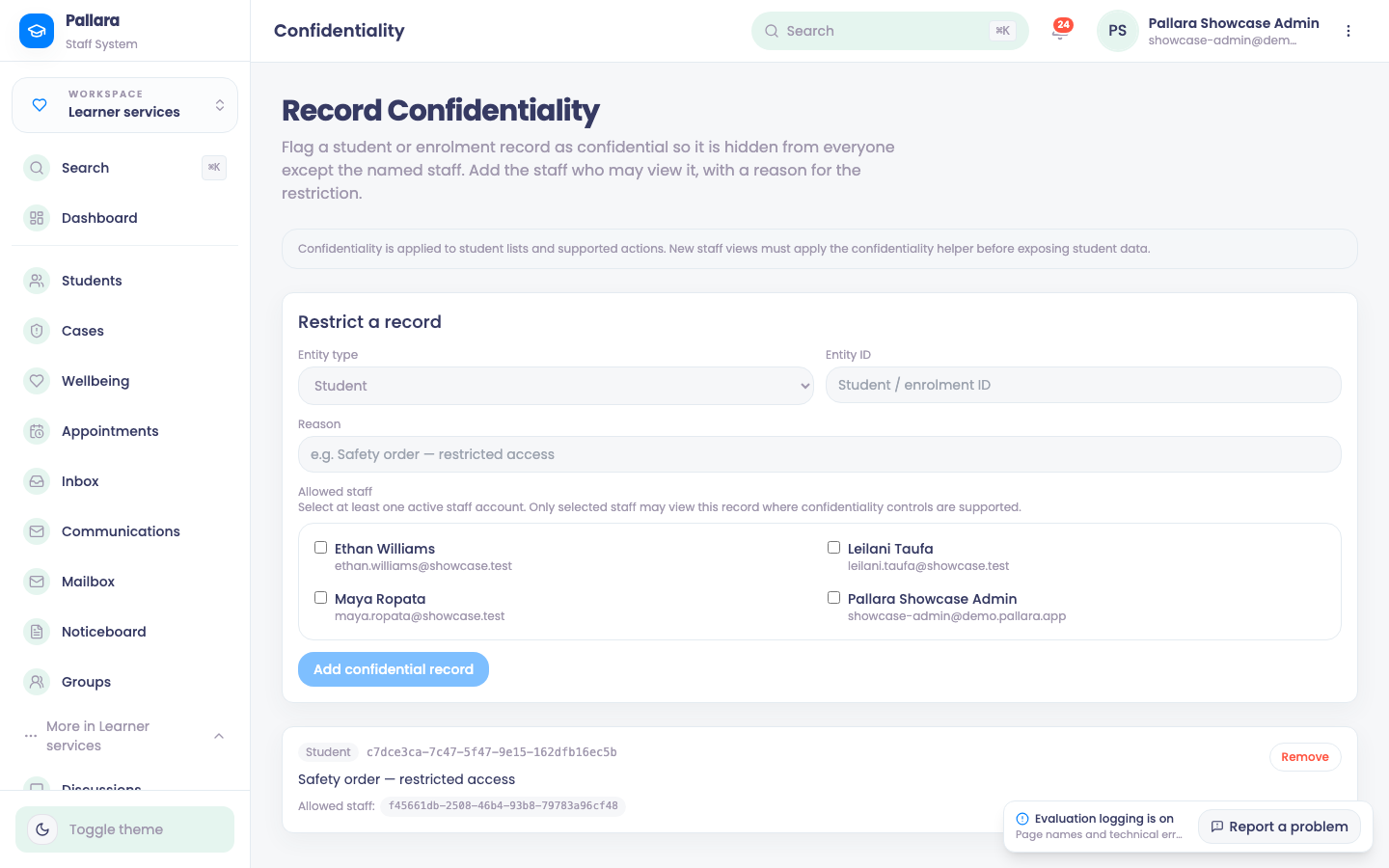
- Under Add confidential record, choose Student or Enrolment, enter the record's ID and a reason.
- Tick each staff member who may view it from the authorised-staff list, then Add confidential record. An unknown ID is refused with Student not found.
- For an unlisted staff member, the learner no longer appears anywhere — directory, search, reports. A listed staff member sees the row as normal, including its status badge.
- Remove on the row ends the restriction immediately.
NoteThe restriction is applied in the database query, not hidden in the screen, so an export or a report cannot leak a restricted record either.
PreviousPublic Trust fee-protection submissionsNextReview activity and system logs, and verify the chain
Was this guide helpful?