Look up or create a National Student Number
Search the National Student Index for a learner, one at a time or in bulk, and see exactly what NSI receives.
Flow
Two routes to an NSN
Diagram: Two routes to an NSN. Steps:
- Learner without an NSN
- ESL machine account configured?
- Live lookup / verify / create
- Batch CSV Export + preview
- National Student Index
- Upload in the Ministry's NSI application
- NSN on the learner record
Connections:
- Learner without an NSN → ESL machine account configured?
- ESL machine account configured? → Live lookup / verify / create (yes)
- ESL machine account configured? → Batch CSV Export + preview (no)
- Live lookup / verify / create → National Student Index
- Batch CSV Export + preview → Upload in the Ministry's NSI application
- Upload in the Ministry's NSI application → National Student Index
- National Student Index → NSN on the learner record
Pallara does thisDecisionStaff actionDocument / file
Names are folded to NSI's character set on the way out only; the record keeps the macron.
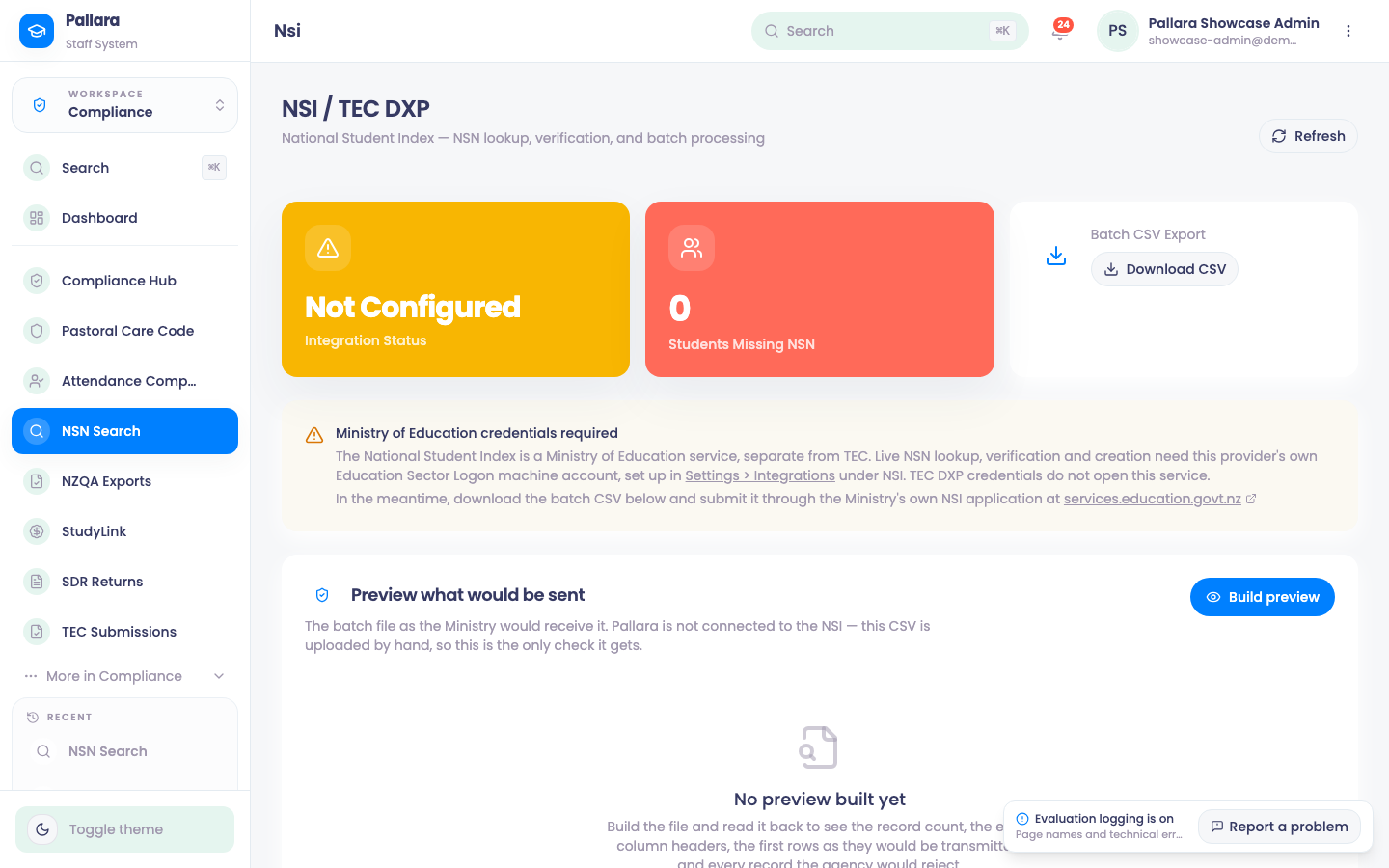
The National Student Index is a Ministry of Education service, separate from TEC. Live NSN lookup, verification and creation need the provider's own Education Sector Logon machine account, configured under Administration → Integrations → NSI; TEC DXP credentials do not open this service.
- Open Compliance → NSN Search. The page shows the integration status and how many learners are missing an NSN.
- With the integration configured, look a learner up by name and date of birth, verify an NSN, or process a batch. A match returns the NSN and the recorded details; no match offers creation.
- Without it, use Batch CSV Export → Download CSV and submit the file through the Ministry's own NSI application. Preview what would be sent → Build preview shows the batch file exactly as the Ministry would receive it — since the file is uploaded by hand, this is the only check it gets.
NoteLearners marked as test records are excluded from the batch entirely, because a batch can mint a national identifier for somebody who does not exist.
Macrons
NSI's specification allows only alphabetic characters, space, hyphen and apostrophe in names. A learner called Māia is submitted to NSI as Maia, and Pallara reports what it changed. The stored name keeps the macron, and every other document — offer letters, certificates, exports — prints it correctly.
Was this guide helpful?