Run and export standard reports
Attendance Summary, Programme Performance, Student Progress, Enrolment Trends, Completion Rates and Staff Workload — on screen and as CSV.
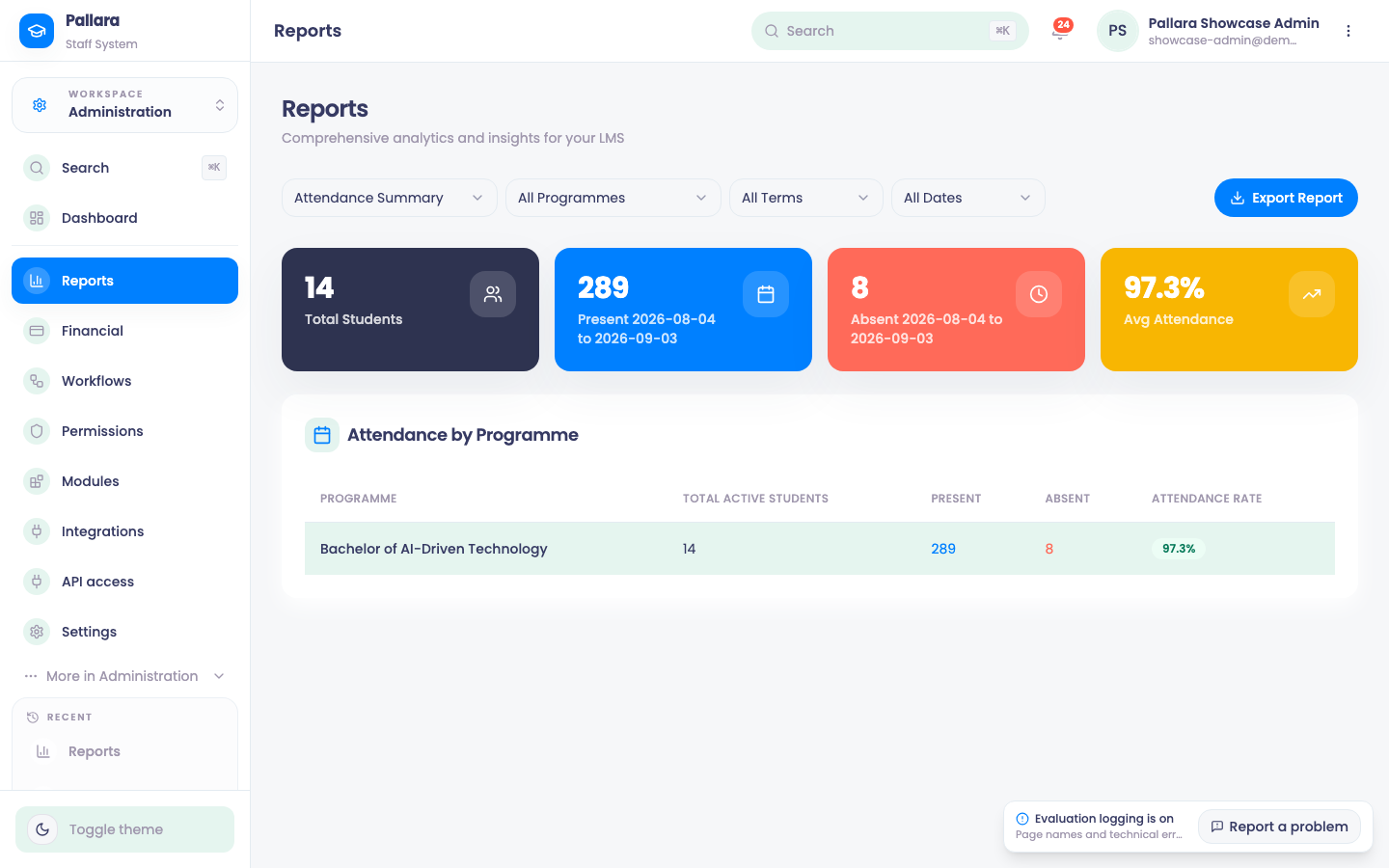
- Open Administration → Reports and choose a report from the first menu.
- For Attendance Summary, choose the programme, then either a Term or a Date Range — choosing one clears the other. For Programme Performance, Student Progress and Completion Rates, use the Course menu when you want one course.
- Read the KPI cards and the table together; a selected course or programme narrows both. Enrolment Trends and Staff Workload deliberately offer no course, term or date control, because the underlying report cannot apply one.
- Select Export Report. The CSV is named for the report and matches the table on screen row for row.
Was this guide helpful?