Generate an SDR package and preview exactly what TEC would receive
The five SDR files for a reporting year, validated, downloadable — and a preview built by generating the file and reading it back.
An SDR return, end to end
Diagram: An SDR return, end to end. Steps:
- Generate SDR Files
- Validation: errors, warnings, codes TEC does not recognise
- Fix the records
- Build preview — the file read back
- Five CSVs downloaded
- Direct submission configured?
- Upload by hand to the DXP
- Submit through the DXP API
- Submission history
Connections:
- Generate SDR Files → Validation: errors, warnings, codes TEC does not recognise
- Validation: errors, warnings, codes TEC does not recognise → Fix the records (errors)
- Fix the records → Generate SDR Files
- Validation: errors, warnings, codes TEC does not recognise → Build preview — the file read back
- Build preview — the file read back → Five CSVs downloaded
- Five CSVs downloaded → Direct submission configured?
- Direct submission configured? → Upload by hand to the DXP (no)
- Direct submission configured? → Submit through the DXP API (yes)
- Upload by hand to the DXP → Submission history
- Submit through the DXP API → Submission history
Compliance, in three screens
Select a step to see the screen for it.
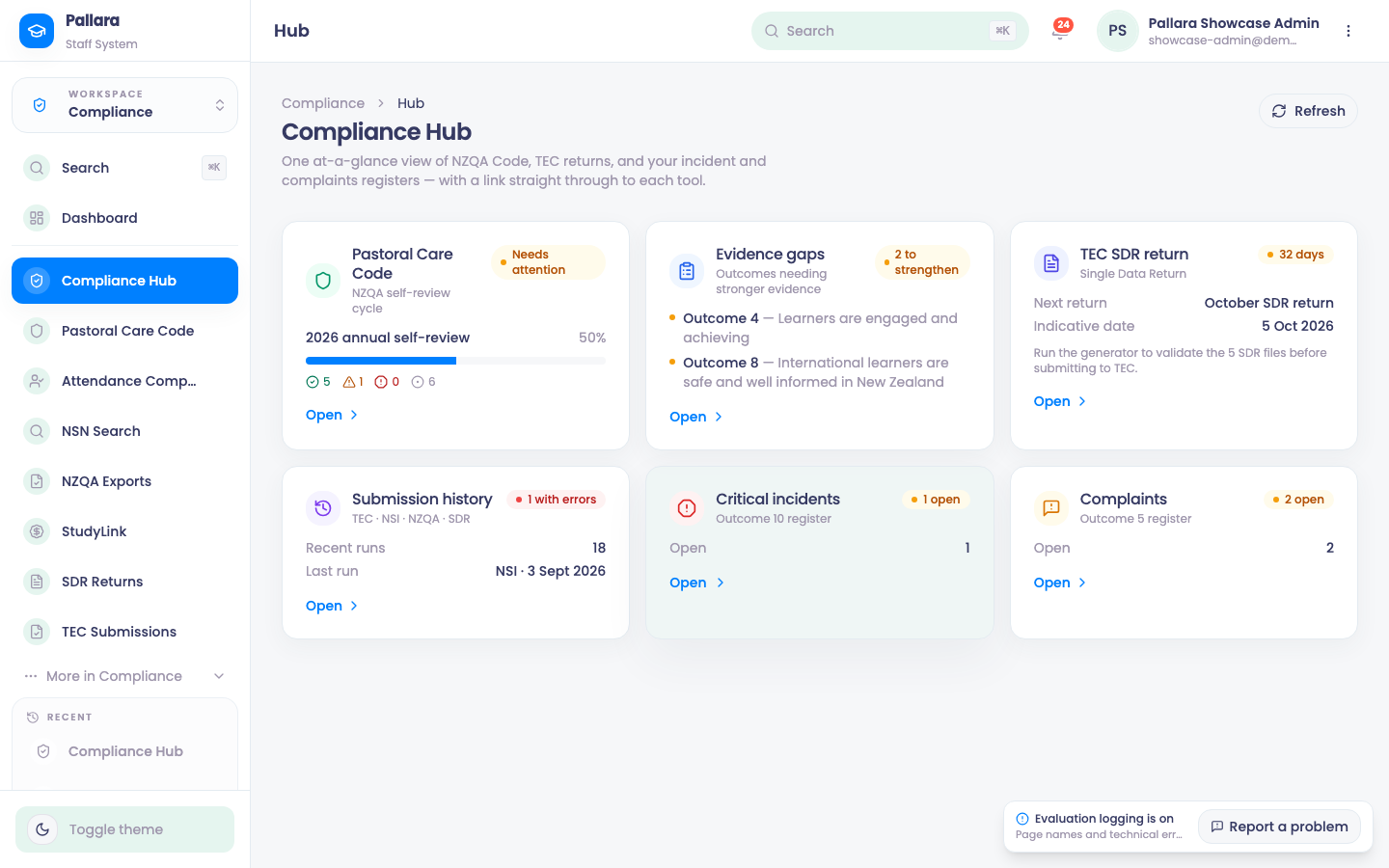
- 1Compliance → Compliance Hub: the Code cycle, the next SDR return, submission history and the registers.
- 2SDR Returns: year, Generate SDR Files, and the two previews — the files as TEC would receive them, and the DXP JSON.
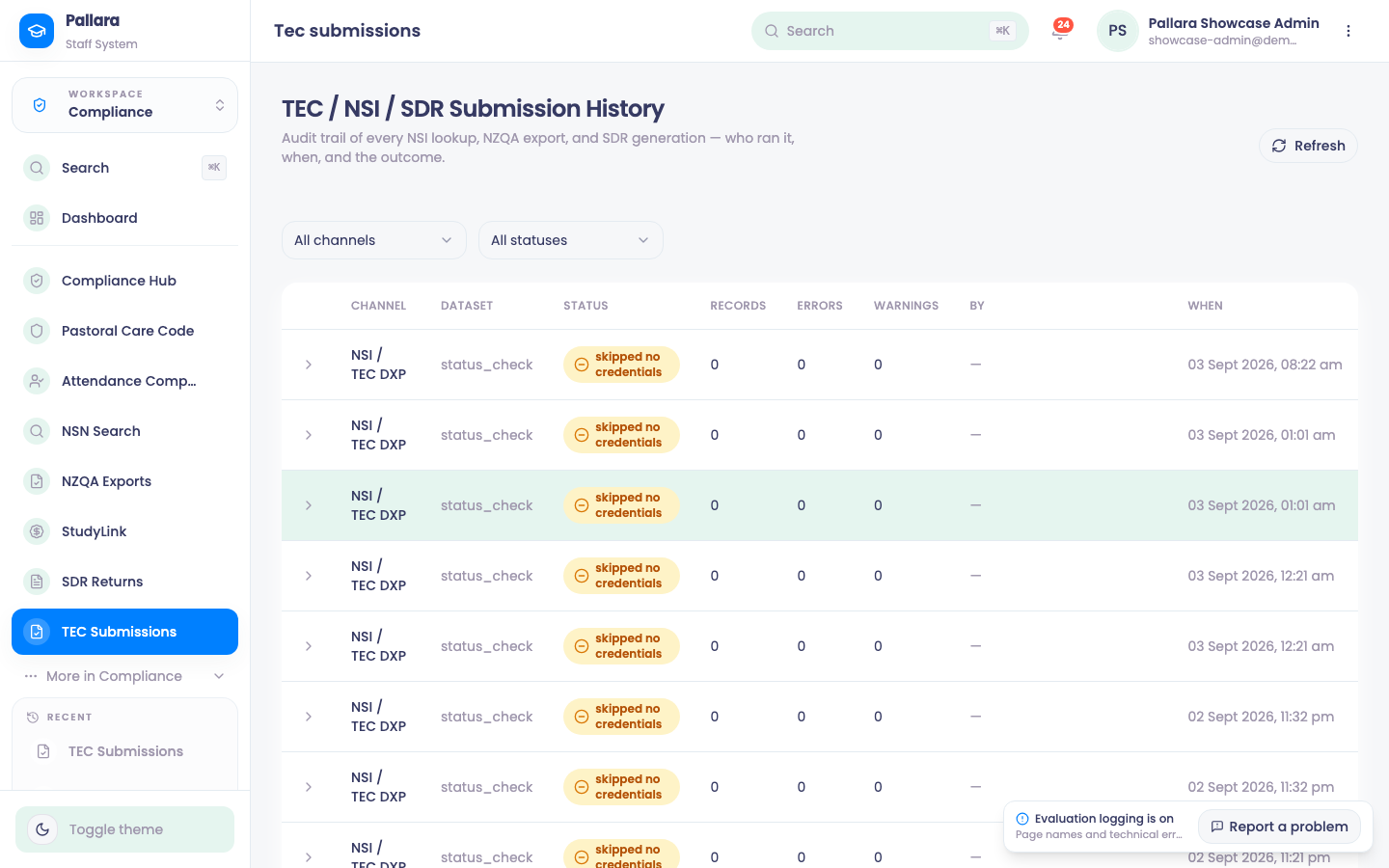
- 3TEC Submissions: the audit trail of every NSI lookup, NZQA export and SDR generation.
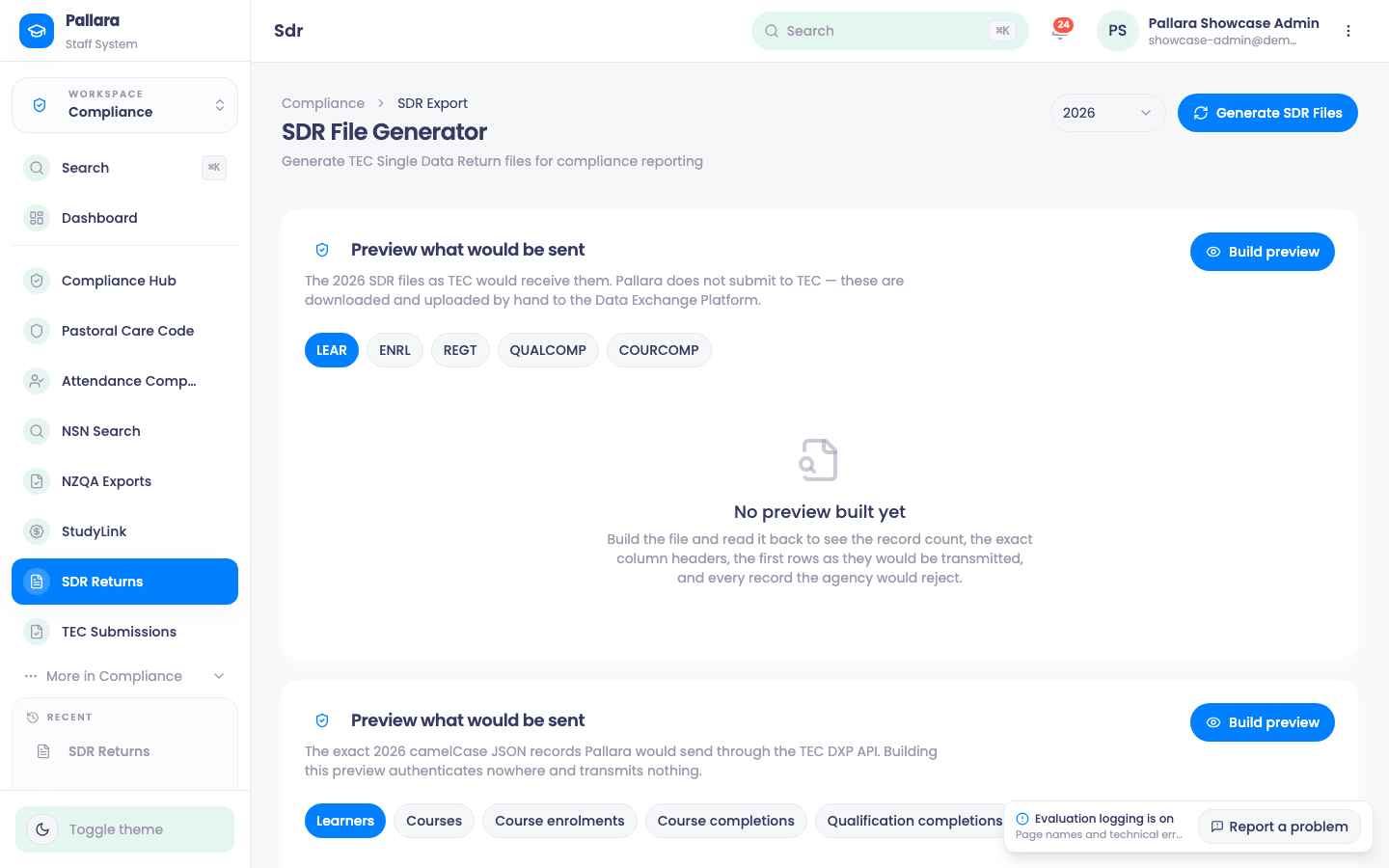
- Open Compliance → SDR Returns and choose the reporting year at the top right.
- Select Generate SDR Files. Wait for the overview and its five dataset cards: LEAR, ENRL, REGT, QUALCOMP and COURCOMP.
- Read each card's record, error and warning counts. Validation Issues lists every record TEC would reject, with the field, the TEC field name, the severity and the message — including codes TEC does not recognise.
- Use Download CSV on a dataset when you need the submission copy. Pallara does not submit to TEC by itself; the files are downloaded and uploaded by hand to the Data Exchange Platform unless direct submission has been configured.
- Generate a second year with the same controls. The counts reflect the selected year, not merely the filename.
- Open Compliance → TEC Submissions to see the attempt in the submission history with its counts.
Preview what would be sent
Two previews sit under the generator. The SDR files as TEC would receive them builds the file and reads it back, so you see the record count, the exact column headers, the first rows as they would be transmitted, and every record the agency would reject. The exact camelCase JSON records shows what the TEC DXP API would receive if direct submission were used. Building a preview authenticates nowhere and sends nothing.
What is excluded
Learners marked as test records never appear in any dataset — see Test learners. A learner with a reportable enrolment cannot be turned into a test record, so the return cannot be quietly thinned.
Readiness
Export Status and the readiness check list the fields the return still needs — site codes, postcodes, fees, NZSCED, learning hours — before a year can be generated cleanly. No return window is open means the DXP return window has not opened yet; Direct submission not configured means the integration for direct submission has not been set up under Settings → Integrations.