StudyLink: verification of study
Track StudyLink status per learner, preview the official 33-field VoS response, and generate the file for upload.
Flow
Verification of Study, request to response
Diagram: Verification of Study, request to response. Steps:
- R_*.VOS from VoS Online
- Upload the request
- Learners and programmes matched; dates, EFTS, fees
- Preview response (33 fields)
- Generate C_*.VOS
- Zip and upload to VoS Online
Connections:
- R_*.VOS from VoS Online → Upload the request
- Upload the request → Learners and programmes matched; dates, EFTS, fees
- Learners and programmes matched; dates, EFTS, fees → Preview response (33 fields)
- Preview response (33 fields) → Generate C_*.VOS
- Generate C_*.VOS → Zip and upload to VoS Online
Document / fileStaff actionPallara does this
- Download the
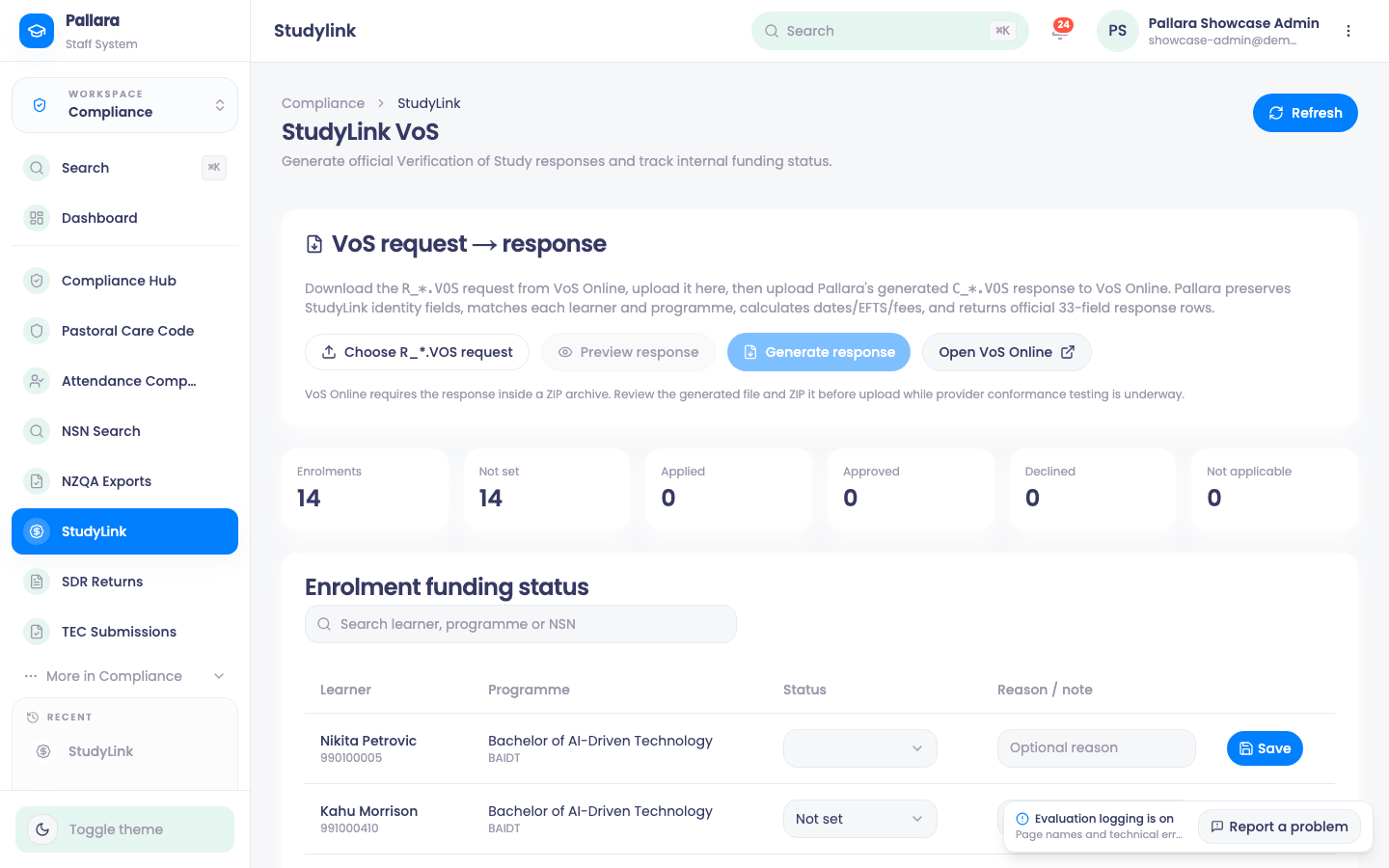
R_*.VOSrequest file from VoS Online. - Open Compliance → StudyLink, select Choose R_*.VOS request and upload it. Pallara preserves StudyLink's identity fields, matches each learner and programme, and calculates dates, EFTS and fees.
- Select Preview response to see the official 33-field response rows exactly as StudyLink would receive them, parsed back from the generated file. Nothing is submitted.
- Select Generate response to produce the
C_*.VOSfile. VoS Online requires it inside a ZIP archive — zip it, then Open VoS Online and upload. - Below, Enrolment funding status tracks each learner's StudyLink state — not set, applied, approved, declined, not applicable — with a reason or note.
NoteStudyLink acceptance is provider-gated and conformance-tested. Pallara produces the file and the audit trail; the upload is yours.
Was this guide helpful?