TEC submissions and the submission history
Every NSI lookup, NZQA export and SDR generation — who ran it, when, and the outcome — plus where direct DXP submission stands.
Compliance → TEC Submissions is the audit trail: one row per NSI lookup, NZQA export or SDR generation, with its channel, dataset, status, record, error and warning counts, who ran it and when. Automatic status checks appear here too — a row reading skipped · no credentials means the scheduled TEC/NSI check ran and found no machine account configured, which is expected until one is set up.
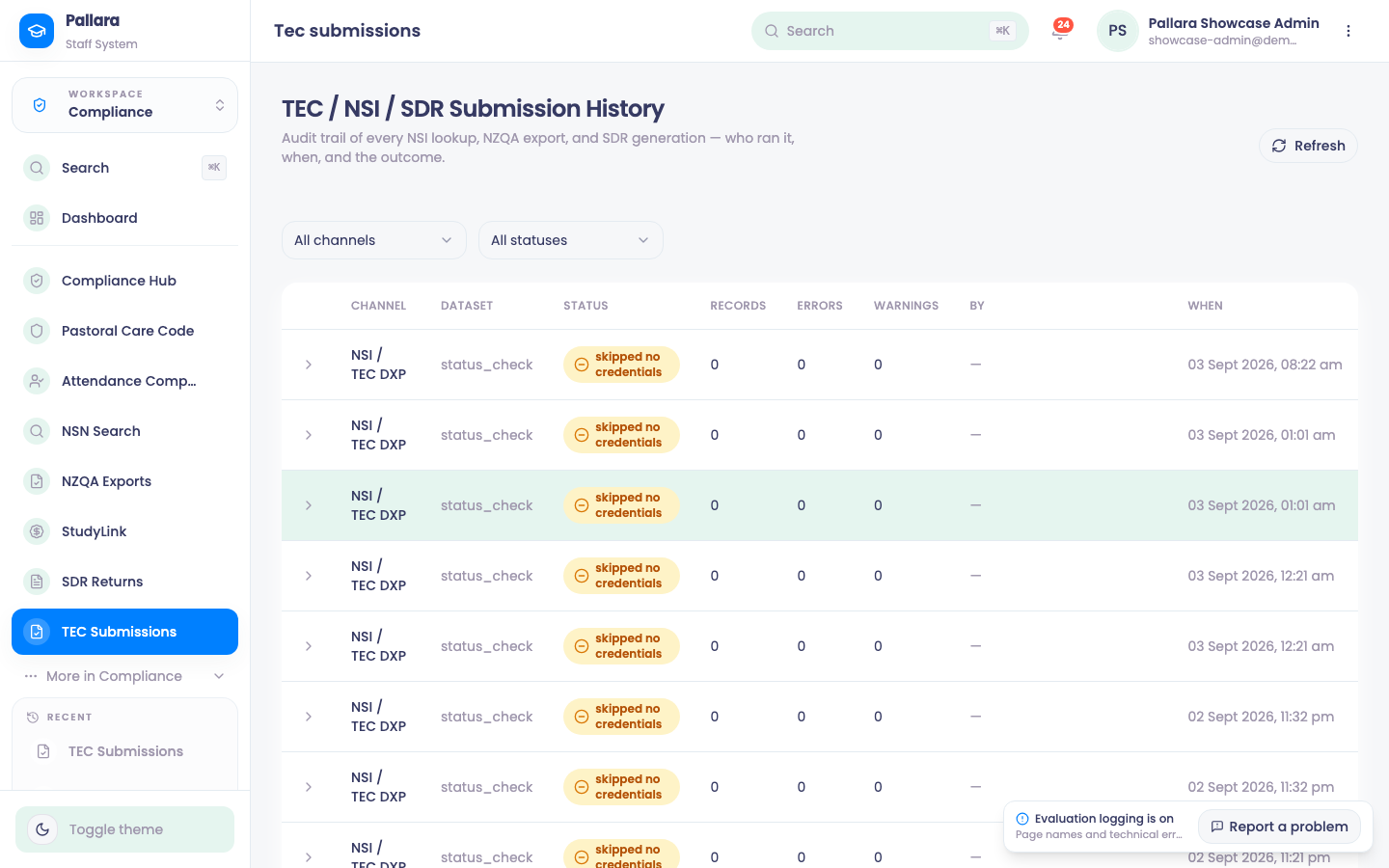
- Use All channels and All statuses to narrow the trail; Refresh reloads it.
- Select a row to expand its event timeline: each event's type, status, reference or detail, and time.
- Past 50 rows, use Next and Previous; the range label names the slice.
Direct submission to the DXP
Direct SDR submission through the TEC Data Exchange Platform is configured under Administration → Integrations → TEC Data Exchange Platform (DXP) with the provider's ESL machine account. Until then the SDR page shows Direct submission not configured and the files are uploaded by hand; the return windows and the DXP status are read on the SDR page itself.