Manage staff roles and invite staff
Administrator, Manager, Facilitator, Viewer — and the one-time invitation that gives a colleague their own login.
Administrator
Every feature, setting and AI tool — including Permissions, Integrations, API access, Modules and the test-record flag.
Manager
Learners, courses, assessments, reports, communications, finance and compliance, with basic AI access. Has the mailbox permission. Default workspace: Admissions.
Facilitator
View learners; manage courses, assessments, attendance and discussions; view reports. Basic AI access. Default workspace: Teaching.
Viewer
Read-only across learners, courses and reports.
Giving a colleague access
Diagram: Giving a colleague access. Steps:
- Create invitation (role chosen)
- Share the one-time link securely
- They set their own password
- They sign in; navigation matches the role
Connections:
- Create invitation (role chosen) → Share the one-time link securely
- Share the one-time link securely → They set their own password
- They set their own password → They sign in; navigation matches the role
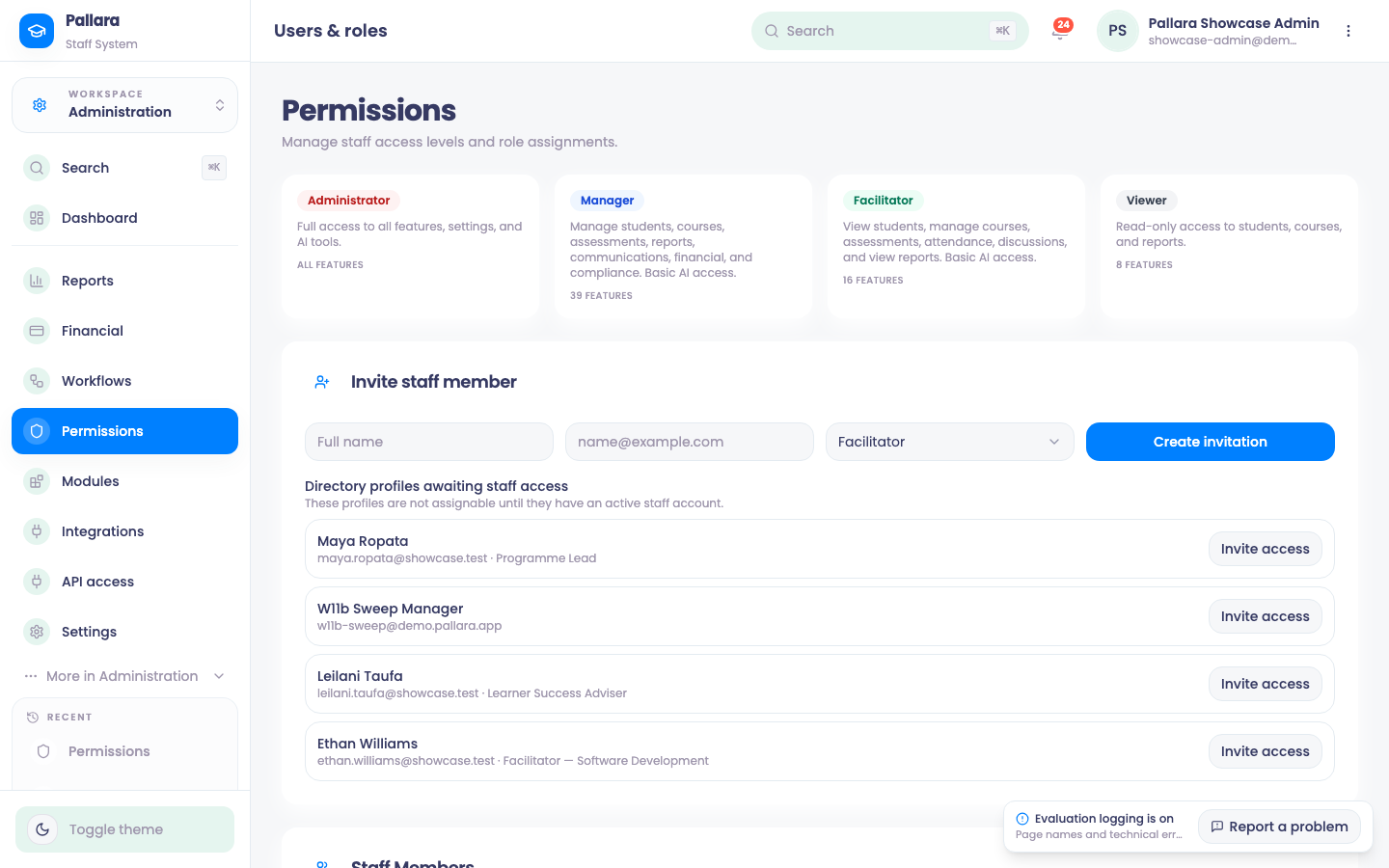
Four roles. Administrator has every feature, setting and AI tool. Manager manages learners, courses, assessments, reports, communications, finance and compliance with basic AI access. Facilitator views learners and manages courses, assessments, attendance and discussions. Viewer is read-only across learners, courses and reports. The Permissions page shows the feature count behind each.
Change a role
- Open Administration → Permissions. Each person's current role is shown.
- Choose the new role and Save Changes. Wait for Saved.
- The person must sign out and back in. Their navigation then shows only what the role permits, and a direct URL to a page they cannot use redirects to the dashboard.
Invite a staff member
- Under Invite staff member, choose the role and select Create invitation.
- Share the displayed one-time hosted link securely. The recipient sets their own password; you never handle it.
- Directory profiles awaiting staff access lists people who exist in the directory — a facilitator named on a course, say — but have no staff account yet. They are not assignable until they do.