Review activity and system logs, and verify the chain
A tamper-evident, append-only record of who did what and every job the system ran — in plain English, with the technical detail one click away.
Why the chain can be verified
Diagram: Why the chain can be verified. Steps:
- Entry 1 · hash(1)
- Entry 2 · hash(2) = f(entry 2, hash 1)
- Entry 3 · hash(3) = f(entry 3, hash 2)
- Verify chain integrity
- Verified ✓ · n entries
- Break reported at the altered entry
Connections:
- Entry 1 · hash(1) → Entry 2 · hash(2) = f(entry 2, hash 1)
- Entry 2 · hash(2) = f(entry 2, hash 1) → Entry 3 · hash(3) = f(entry 3, hash 2)
- Entry 3 · hash(3) = f(entry 3, hash 2) → Verify chain integrity
- Verify chain integrity → Verified ✓ · n entries
- Verify chain integrity → Break reported at the altered entry
Reading the log
Select a step to see the screen for it.
- 1Curated only shows plain-English entries; the quick filters and chips narrow by category, source, severity and date.
- 2Select an entry for the summary, actor, time, affected record and key facts — and the technical detail under its own disclosure.
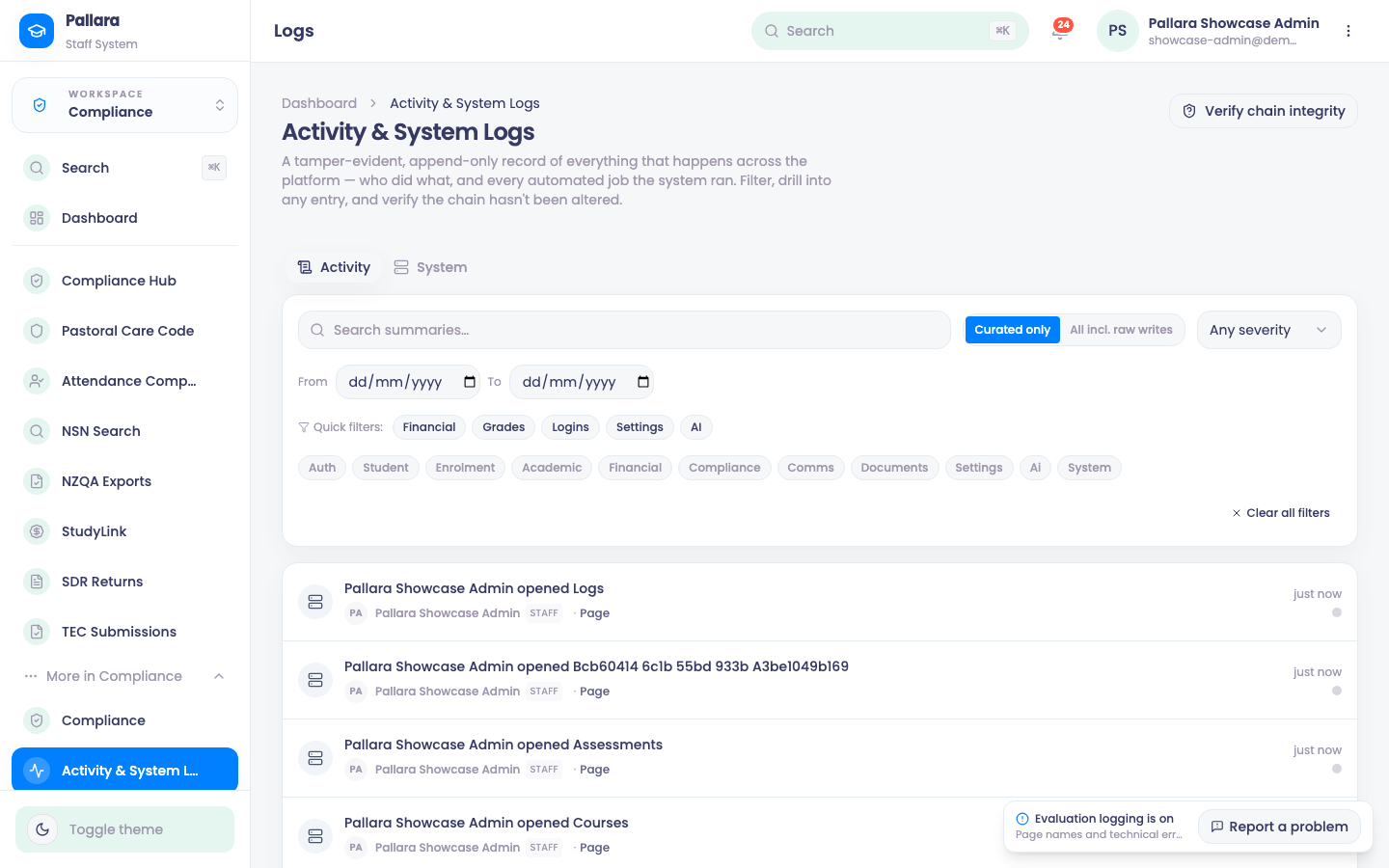
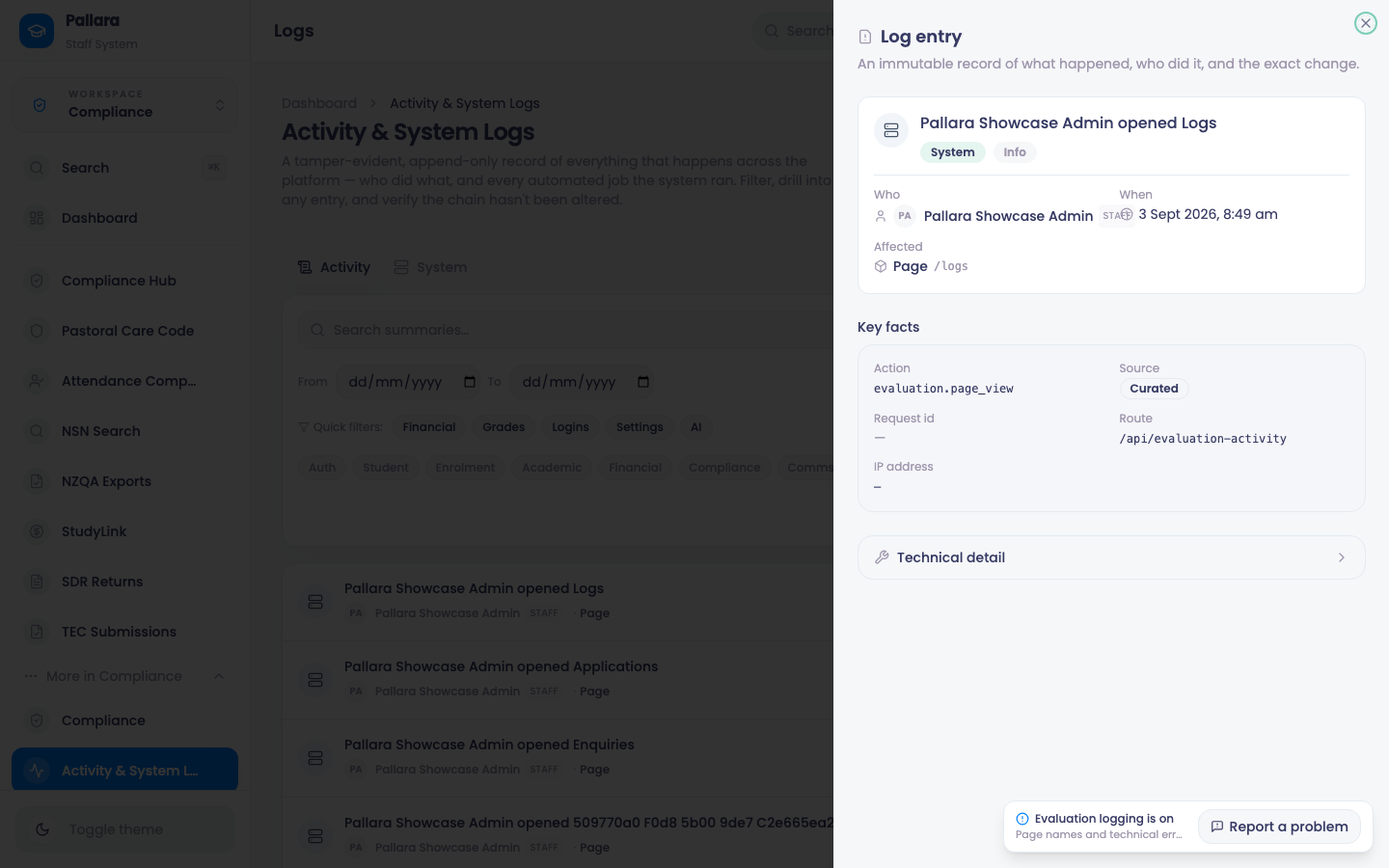
Every change in Pallara is written to one log: staff actions, learner actions, automated jobs, integrations. Each entry is a plain-English sentence — *Pallara Showcase Admin posted grades for Applied Project* — with the identifiers, before/after values and hashes in a detail drawer rather than on the page.
- Open Compliance → More → Activity & System Logs. The Activity tab shows staff and automated changes for your provider.
- Choose Curated only for human-readable entries. All incl. raw writes adds every automatically captured row write — useful for an investigation, noisy for anything else.
- Use Search summaries…, the quick filters (Financial, Grades, Logins, Settings, AI), the source buttons, the category chips and From / To dates. The same date in both includes that whole New Zealand day.
- Select a row to open Log entry: summary, actor, time, the affected record and the key facts. Expand Technical detail for the redacted before/after values, the sequence number and the hashes.
- Select a request ID to see every entry produced by that one request; Clear request filter removes it.
- Load more fetches the next 50 older entries without losing your filters.
- Open System for cron, webhook, AI, scheduler, deploy, integrity and error events, with duration and detail per row.
Verify the chain
Select Verify chain integrity. Each entry carries a hash of the previous one; verification walks the whole chain and reports Verified ✓ with the number of entries checked, and writes a chain.verify event to the System log. If any entry had been altered or removed, the chain would break at that point and the page would say so.