Pastoral Care Code self-review, complaints and critical incidents
Rate the twelve outcomes, attach evidence, publish the report and attest — and keep the complaints and incidents registers that feed the annual report.
Flow
A self-review cycle
Diagram: A self-review cycle. Steps:
- New self-review cycle
- Rate 12 outcomes + evidence
- Report: AI-draft summary
- Mark complete → Publish
- Attestation: sign off
- Attested (locked)
Connections:
- New self-review cycle → Rate 12 outcomes + evidence
- Rate 12 outcomes + evidence → Report: AI-draft summary
- Report: AI-draft summary → Mark complete → Publish
- Mark complete → Publish → Attestation: sign off
- Attestation: sign off → Attested (locked)
Staff actionPallara does this
Self-review cycle
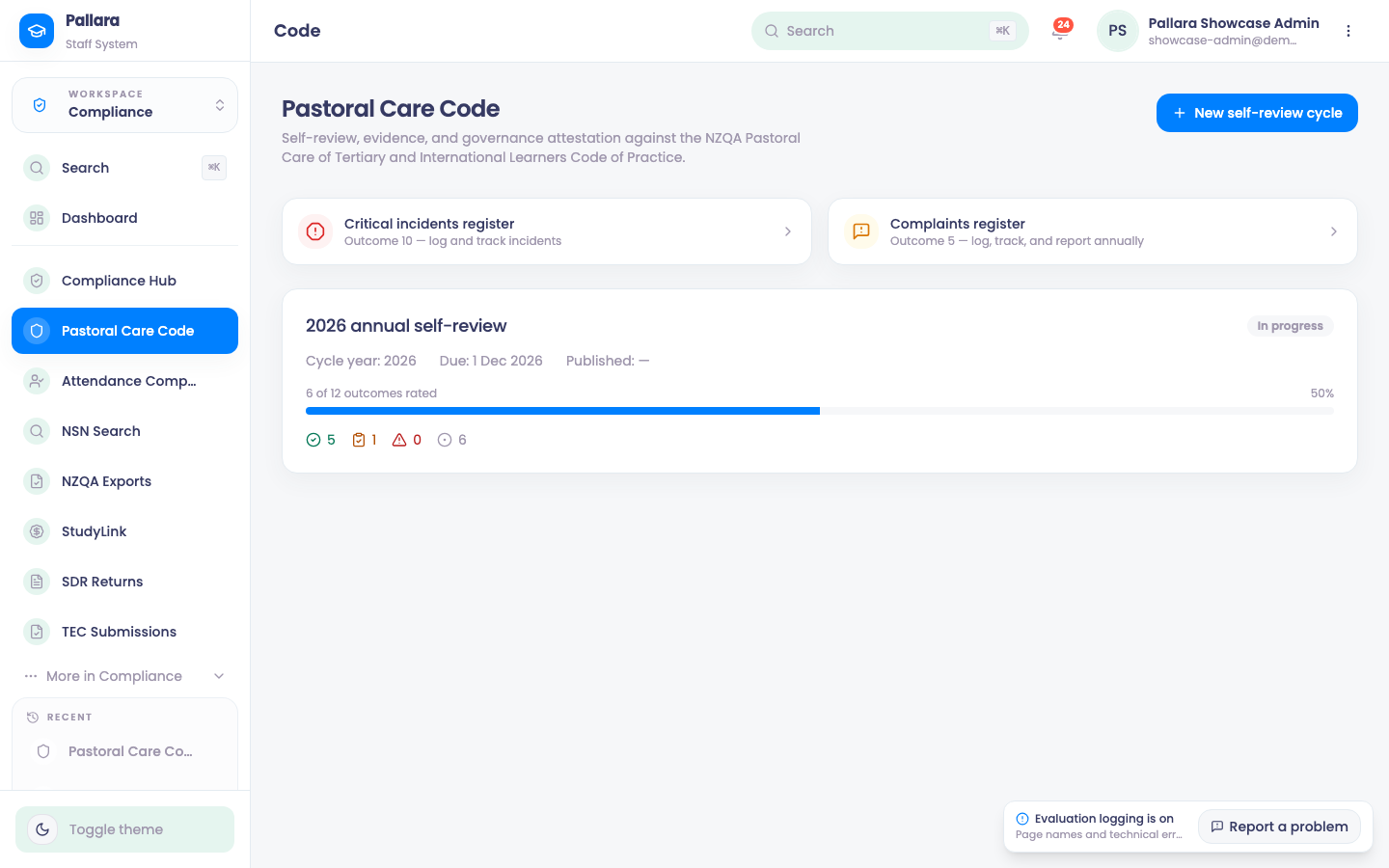
- Open Compliance → Pastoral Care Code and select New self-review cycle. Enter the label, the year and the due date.
- Open the cycle. For each of the 12 outcomes, choose the rating, add reviewer notes, one improvement action per line, and evidence. Select Save on each outcome.
- The header reads 12 of 12 outcomes rated and 100%. AI gap analysis is optional; if the adviser is unavailable the page says to review the evidence by hand.
- Open Report, select AI-draft summary, check the summary, select Mark complete, then Publish. The header status becomes published.
- Open Attestation. Confirm the three readiness checks, enter the signatory's name and role, set the deadline, Save pack, then Attest & sign off. The cycle shows Attested and its fields lock.
Complaints register
- From Pastoral Care Code, select Complaints register, then Log complaint.
- Select the source, category and learner group. Enter an anonymised reference and a description, then Log complaint.
- Select the row, set its workflow status, enter the handling steps and outcome, and Save.
- Open Annual report to see the learner-group, category and quarterly counts that include it.
Critical incidents register
- Select Critical incidents register, then Log incident. Select type, severity and learner group; enter an anonymised reference, description, response plan and the date, then Log incident.
- Select the row to change its status and record the actions taken, then Save. The Open/responding and Resolved/closed figures update.
Take careUse anonymised learner references in both registers. The annual report is built from them.
Was this guide helpful?