NZQA exports: F23 and QE1
Official fixed-width files for NZQA, generated from the enrolments and results Pallara already holds.
Flow
An NZQA file
Diagram: An NZQA file. Steps:
- Refresh export readiness
- Build preview (fixed-width H/P/R)
- Fix anything NZQA would reject
- Download F23 or QE1
- Upload in NZQA's Submit Data File
- Recent export attempts
Connections:
- Refresh export readiness → Build preview (fixed-width H/P/R)
- Build preview (fixed-width H/P/R) → Fix anything NZQA would reject
- Fix anything NZQA would reject → Download F23 or QE1
- Download F23 or QE1 → Upload in NZQA's Submit Data File
- Upload in NZQA's Submit Data File → Recent export attempts
Staff actionDocument / filePallara does this
- Open Compliance → NZQA Exports. If the page says the provider code is not configured, an administrator adds it under Administration → Integrations → NZQA; the check validates that a code exists and makes no external call.
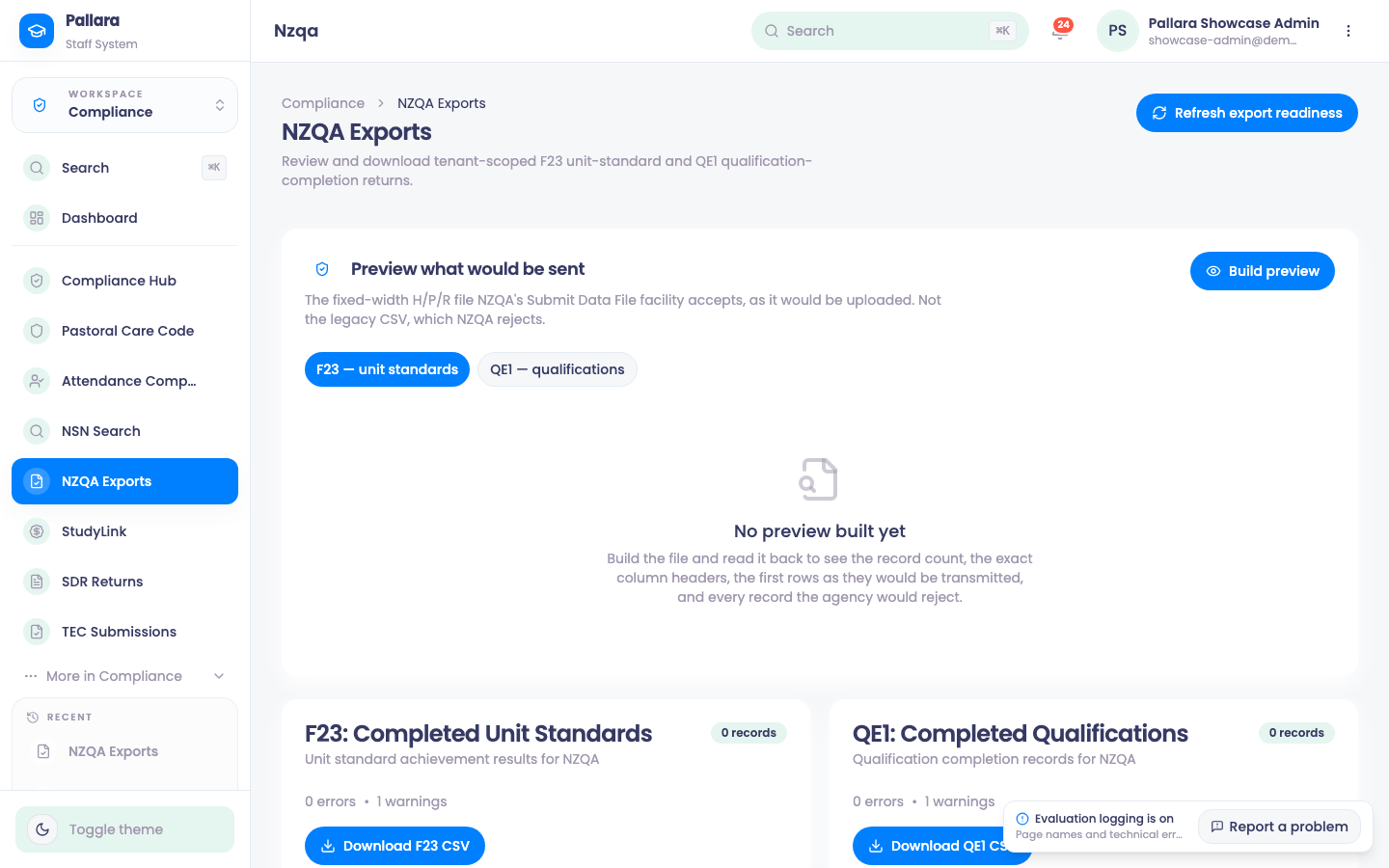
- Select Refresh export readiness. The two cards — F23: Completed Unit Standards and QE1: Completed Qualifications — show record, error and warning counts.
- Under Preview what would be sent, choose F23 — unit standards or QE1 — qualifications and Build preview. What you see is the fixed-width H/P/R file NZQA's Submit Data File facility accepts, as it would be uploaded — not the legacy CSV, which NZQA rejects — built and read back so you see the record count, the exact headers, the first rows and every record NZQA would reject.
- Download the file from its card. Recent export attempts records every download with its counts.
A degree with no unit standards produces an F23 with no records and a warning — that is the file being honest, not a fault. QE1 carries the qualification completions: NSN mandatory, no invented dates.
NoteEthnicity is reported with the NZQA code table (33 codes). Credit transfers and gender-diverse learners have no representation in the current NZQA file formats; Pallara does not invent one.
PreviousGenerate an SDR package and preview exactly what TEC would receiveNextLook up or create a National Student Number
Was this guide helpful?