The Compliance Hub
One page that shows where every return stands — SDR, NZQA, NSI, StudyLink, TEC — and what still needs attention.
Which return do I need?
Compliance → SDR Returns: generate the five files, read the validation, preview what TEC would receive, download, upload to the DXP.
SDR returns →Administration → More → Work-based Training → ITR / WBT returns. A local CSV; transmission is not built.
ITR returns →For what?
Compliance → NZQA Exports → F23. A degree with no unit standards produces an empty F23 — that is correct.
NZQA exports →Compliance → NZQA Exports → QE1. Fixed-width, NSN mandatory.
NZQA exports →Compliance → Pastoral Care Code: twelve outcomes, evidence, report, attestation.
Pastoral Care Code →Which file?
Compliance → NSN Search: live lookup with an ESL account; otherwise the batch CSV and its preview.
NSN search →Compliance → StudyLink: upload the R_*.VOS request, preview, generate the C_*.VOS response, zip, upload.
StudyLink →Administration → More → Public Trust (module): pending → submitted → cleared per learner.
Public Trust →Compliance → More → Activity & System Logs and Verify chain integrity.
Activity and system logs →Who is asking?
Every path, as a list
- TEC → The Single Data Return Compliance → SDR Returns: generate the five files, read the validation, preview what TEC would receive, download, upload to the DXP. SDR returns
- TEC → Work-based training (ITR) Administration → More → Work-based Training → ITR / WBT returns. A local CSV; transmission is not built. ITR returns
- NZQA → Unit standard results (F23) Compliance → NZQA Exports → F23. A degree with no unit standards produces an empty F23 — that is correct. NZQA exports
- NZQA → Qualification completions (QE1) Compliance → NZQA Exports → QE1. Fixed-width, NSN mandatory. NZQA exports
- NZQA → The Code self-review Compliance → Pastoral Care Code: twelve outcomes, evidence, report, attestation. Pastoral Care Code
- Ministry of Education (NSI) Compliance → NSN Search: live lookup with an ESL account; otherwise the batch CSV and its preview. NSN search
- StudyLink Compliance → StudyLink: upload the R_*.VOS request, preview, generate the C_*.VOS response, zip, upload. StudyLink
- Public Trust Administration → More → Public Trust (module): pending → submitted → cleared per learner. Public Trust
- An auditor asking who did what Compliance → More → Activity & System Logs and Verify chain integrity. Activity and system logs
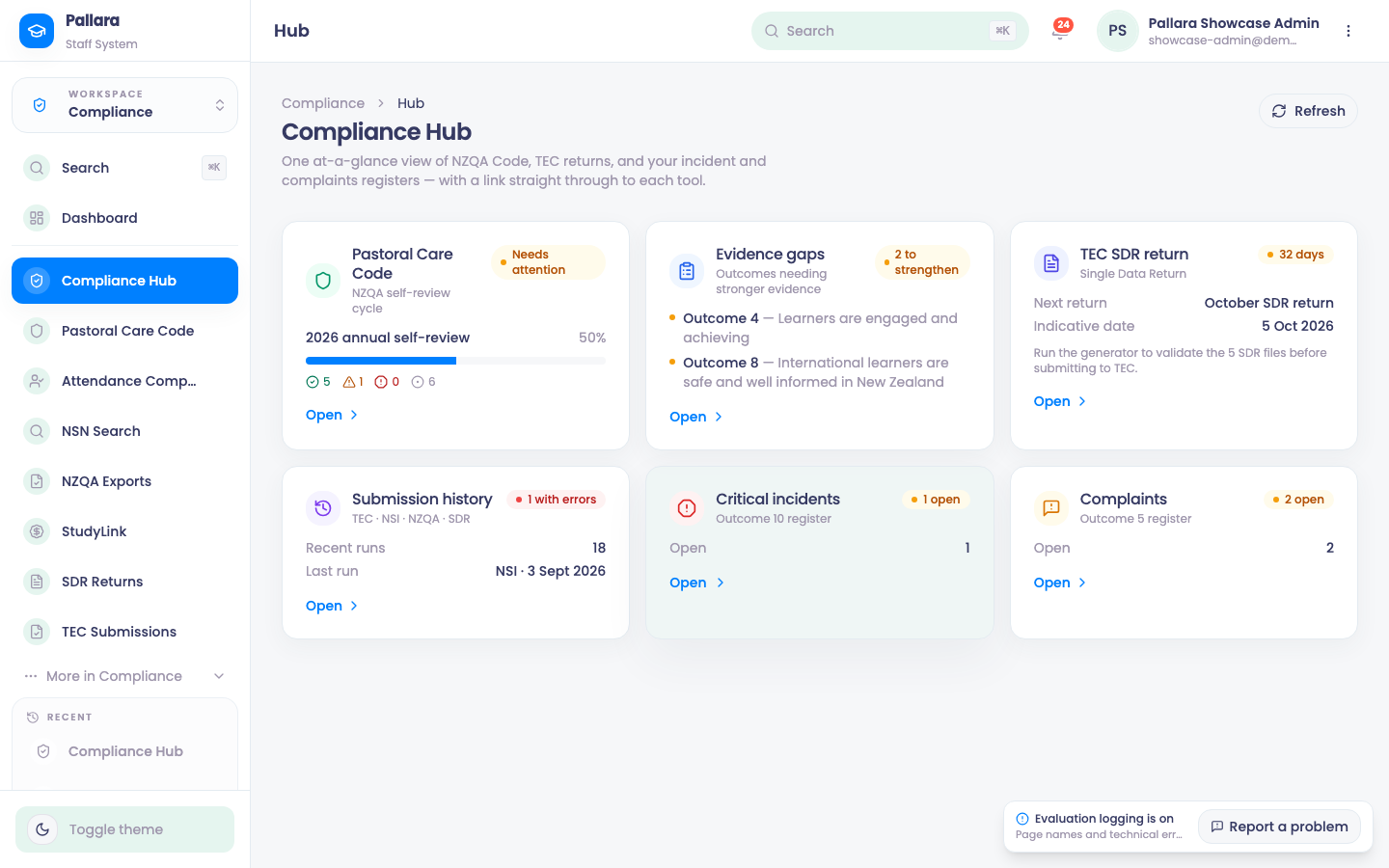
Open Compliance → Compliance Hub. It is one at-a-glance view of the NZQA Code, TEC returns, and your incident and complaints registers — with a link straight through to each tool. The Pastoral Care Code card shows the current self-review cycle's progress and the outcomes whose evidence needs strengthening; TEC SDR return shows the next return and its indicative date; Submission history shows recent runs and the last one; Critical incidents and Complaints show what is open. Refresh rebuilds it.
Compliance items
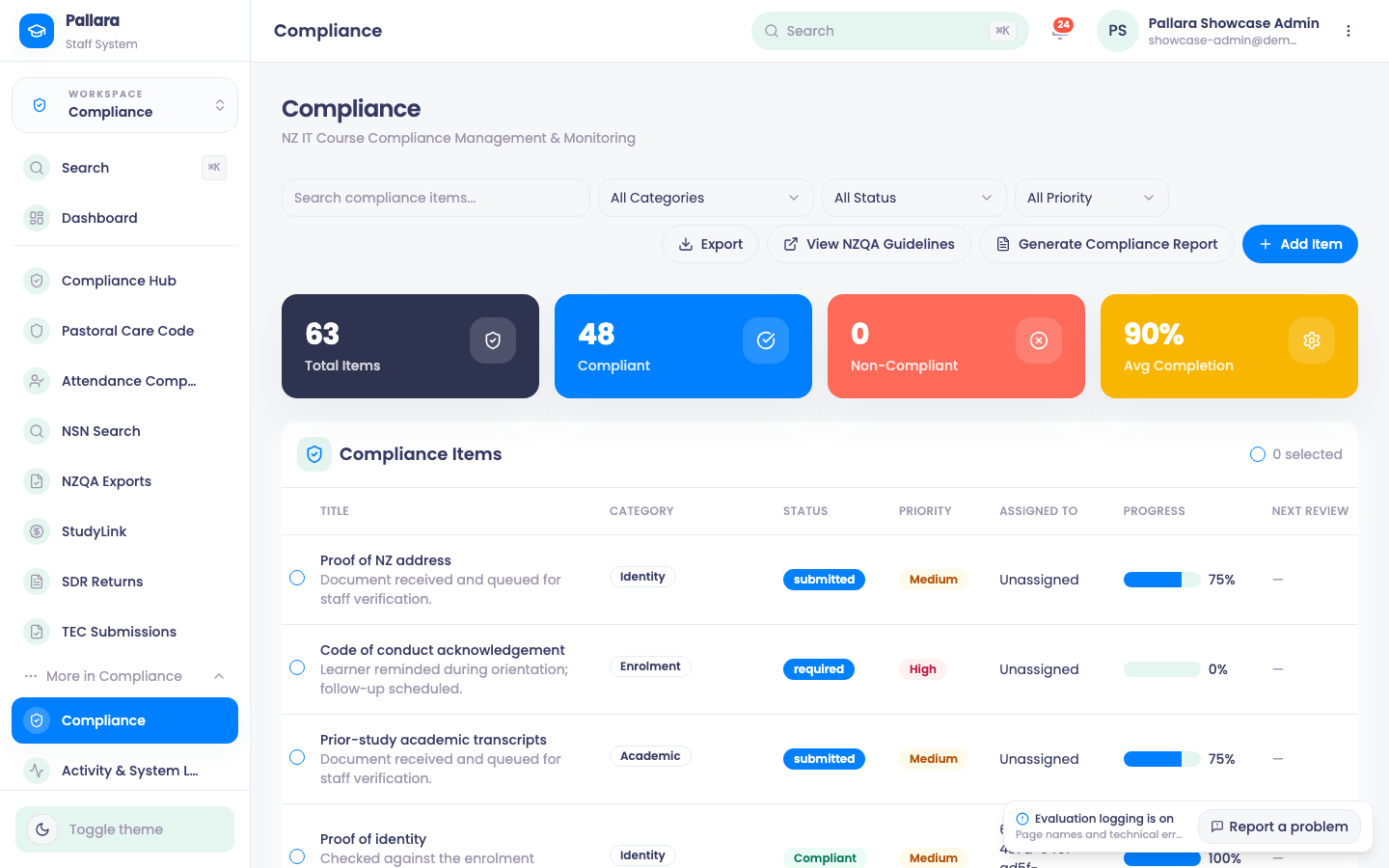
The Compliance page beside the Hub is the tracker for learner-scoped compliance items — the things a person has to do for a specific learner.
- Open Compliance → More → Compliance and select Add Item.
- Enter a title and choose the learner in Student — items are always learner-scoped.
- Set status, category, priority, completion percentage, staff assignment, review dates and a description, then Create Item.
- Search for the title to find the row; open it and use Edit for later changes.
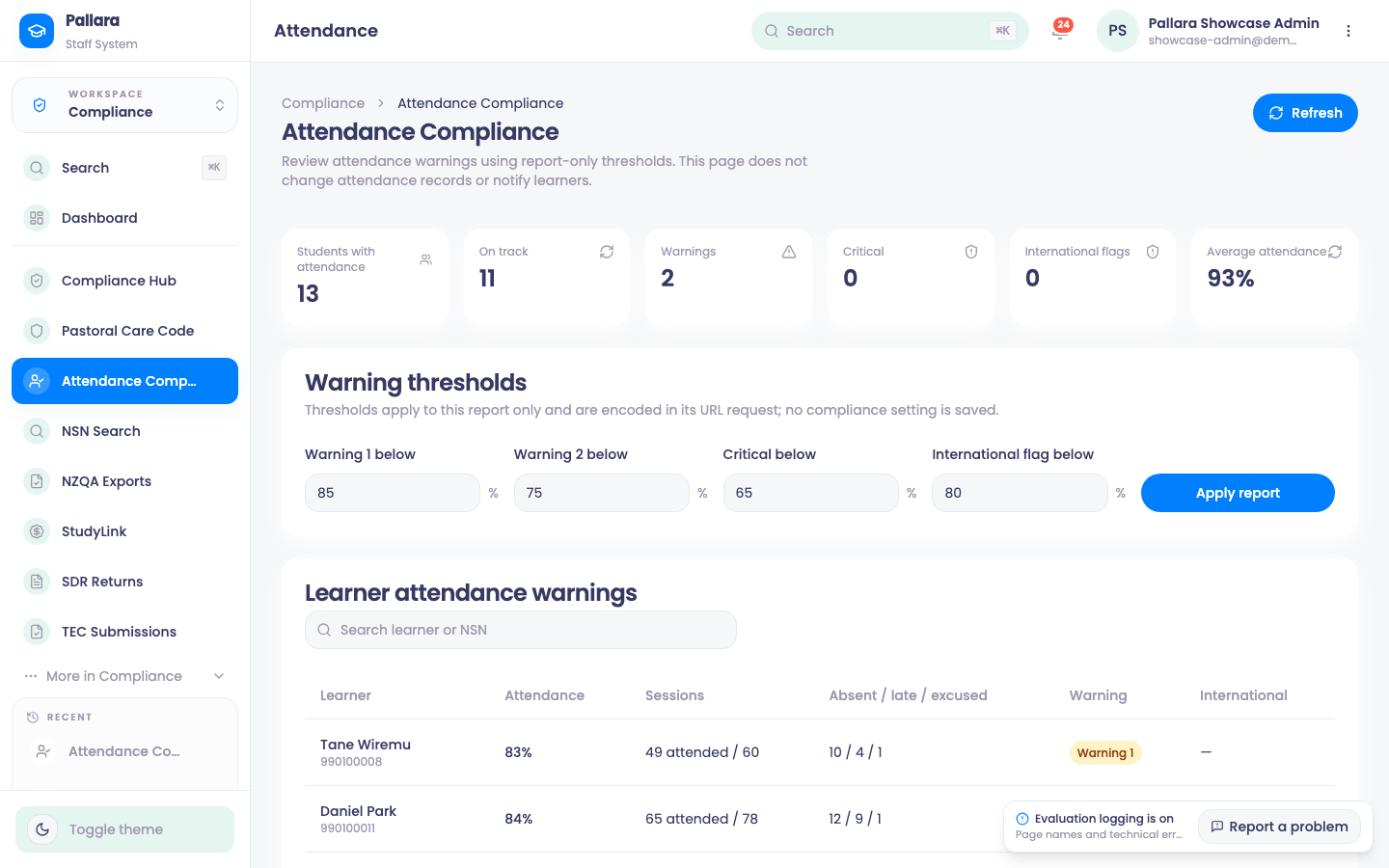
Attendance Compliance is report-only: it applies warning thresholds to every active learner's attendance rate and flags those below them, without changing any attendance record or notifying anyone. The cards count learners with attendance, on track, warnings, critical and international flags, plus the average. Set Warning 1, Warning 2, Critical and International flag thresholds and select Apply report — the thresholds live in the report's URL, not in a saved setting.