Live Evaluation
What an evaluator is doing in the tenant right now — every page opened and action taken, as it happens.
Flow
What an evaluator's session produces
Diagram: What an evaluator's session produces. Steps:
- Evaluation logging on
- Page visits + actions recorded
- Report a problem (from any page)
- Live Evaluation feed, 3-second refresh
- Follow up after the session
Connections:
- Evaluation logging on → Page visits + actions recorded
- Page visits + actions recorded → Report a problem (from any page)
- Report a problem (from any page) → Live Evaluation feed, 3-second refresh
- Live Evaluation feed, 3-second refresh → Follow up after the session
TriggerPallara does thisLearner actionStaff action
When you hand a tenant to someone to explore — an evaluator, an auditor, a new manager — Administration → More → Live Evaluation follows their page visits and shows technical errors or problem reports as they happen. The view refreshes every three seconds. It reads from the same log as everything else; it just presents the last 24 hours as a live feed for one purpose.
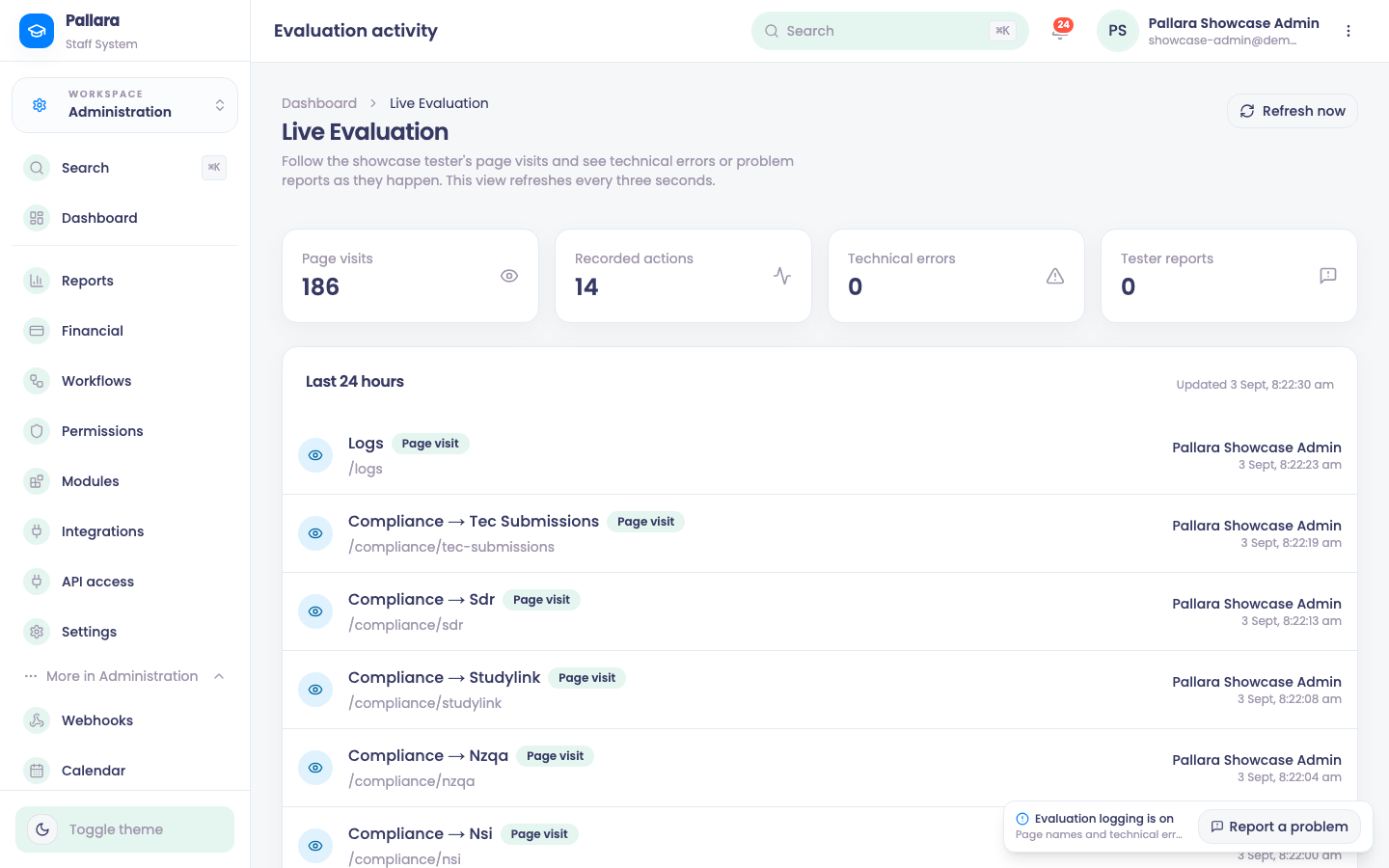
- Open Administration → More → Live Evaluation (it needs the logs permission). The cards count Page visits, Recorded actions, Technical errors and Tester reports in the last 24 hours.
- Read the feed: each page visit with its path, who, and when. Activity on a shared evaluation account is shown as that account rather than invented for one person.
- While evaluation logging is on, every staff page carries an Evaluation logging is on notice and a Report a problem button. A report the tester files lands here immediately with the page it came from.
- Use it after the session to see what was covered and what was not, and to follow up on anything that raised a question.
Was this guide helpful?