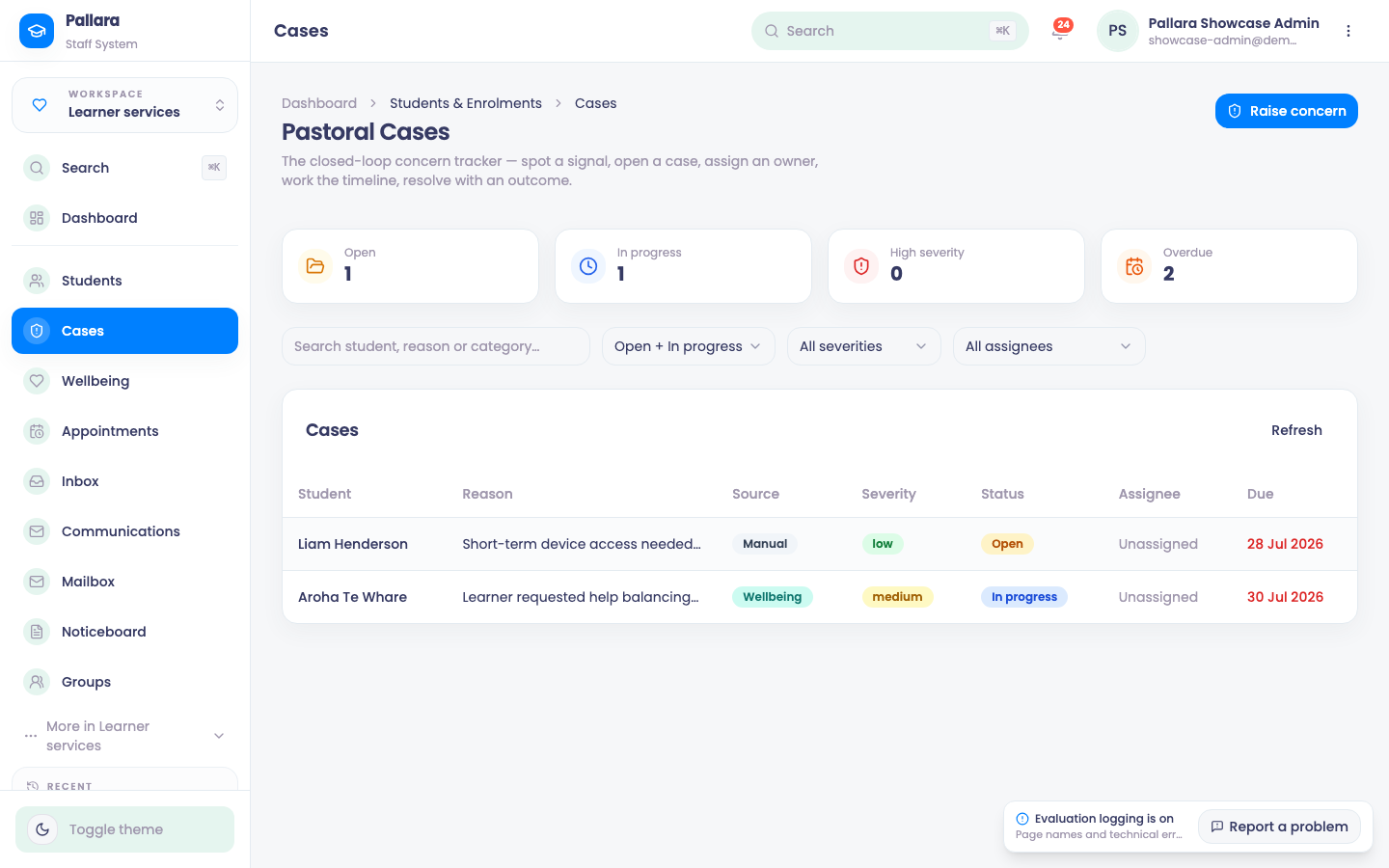
Raise and manage a pastoral case
Raise a concern, assign it, add notes, record the outcome and resolve it — with a timeline of every step.
A concern, closed loop
Diagram: A concern, closed loop. Steps:
- Signal: staff, at-risk score, Ask Your Data, wellbeing
- Raise concern
- Assign owner, set severity + due date
- Notes on the timeline
- Resolve with outcome
- Mark resolved
Connections:
- Signal: staff, at-risk score, Ask Your Data, wellbeing → Raise concern
- Raise concern → Assign owner, set severity + due date
- Assign owner, set severity + due date → Notes on the timeline
- Notes on the timeline → Resolve with outcome
- Resolve with outcome → Mark resolved
Which channel do I use to reach a learner?
Learner services → Inbox. Threaded, read receipts logged, the learner replies from their own Inbox.
Inbox →From the learner's record (Message), or Communications → Specific Students. Replies to email come back through the Mailbox.
Send communications →Learner services → Communications with programme / intake / status filters. Read the Sent and Failed counts.
Send communications →To how many people?
Learner services → Mailbox — Everything, Needs attention, Attached.
The provider mailbox →Learner services → More → Two-way SMS — conversations plus keyword automations.
Two-way SMS →Learner services → Noticeboard — on the staff dashboard and in the learner portal.
Noticeboard →What are you trying to do?
Every path, as a list
- Have a conversation they will see in their portal Learner services → Inbox. Threaded, read receipts logged, the learner replies from their own Inbox. Inbox
- Send an email, SMS or WhatsApp → One learner From the learner's record (Message), or Communications → Specific Students. Replies to email come back through the Mailbox. Send communications
- Send an email, SMS or WhatsApp → A cohort Learner services → Communications with programme / intake / status filters. Read the Sent and Failed counts. Send communications
- Find an email a learner sent us Learner services → Mailbox — Everything, Needs attention, Attached. The provider mailbox
- Text back and forth Learner services → More → Two-way SMS — conversations plus keyword automations. Two-way SMS
- Tell everyone something Learner services → Noticeboard — on the staff dashboard and in the learner portal. Noticeboard
- Open Learner services → Cases and select Raise concern.
- Choose the learner, enter a category and reason, set the severity, and optionally choose a staff owner, a due date and a first note. Select Raise concern.
- The dialog closes and the new row appears. Do not submit again — the row is the confirmation.
- Select the row to open the case sheet. Use Status to progress it, Assignee to nominate the accountable person, and Add note for factual progress notes.
- Enter the resolution in Resolve with outcome. Save outcome records it without closing; Mark resolved closes the case. The timeline records the status change and the outcome.
- The default list shows Open and In progress cases; use the status filter to find resolved ones.