Get ready to start and complete induction
The steps between accepting an offer and your first day, and the induction course you can open before study.
Work through your preparation steps
- After you accept your offer, open the application and select Get ready to start. The page lists what to do before your study begins and what admissions is doing for you.
- Steps under To do are yours. Depending on the step, you read and confirm it (I have read this), answer a few questions, or upload a document. Steps you have finished, or that admissions is handling, move to Done or with admissions.
- Your provider decides which steps apply. For international students these can include visa details, insurance details, arrival date and time, airport pickup and accommodation.
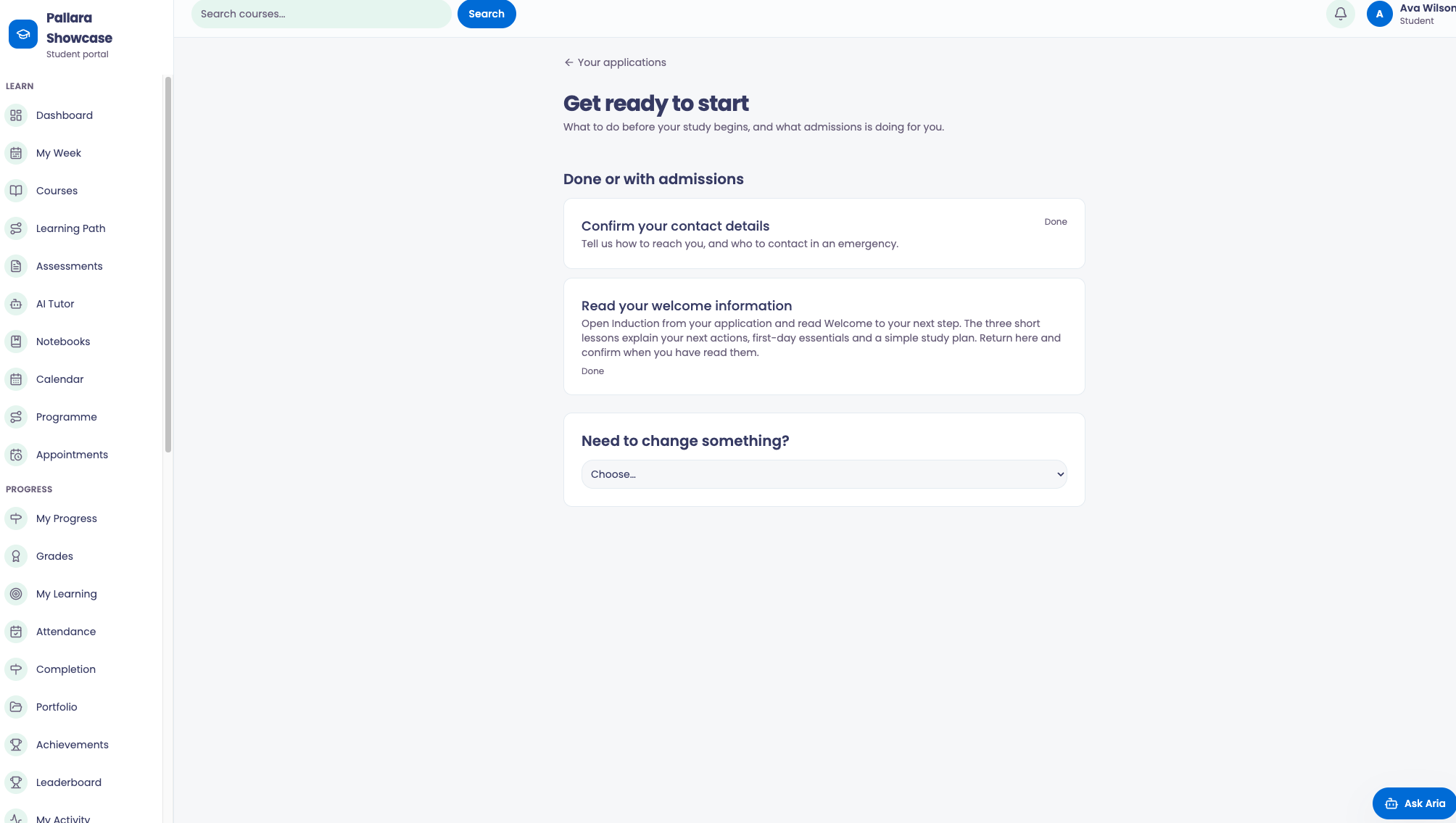
TipUnder Need to change something? you can ask admissions to correct your application, start in a later intake, or withdraw. Each is a request; admissions confirms it.
Complete the induction course
- Select Start your induction from your application card or the preparation page.
- Work through the lessons. Where a lesson has an explainer video, it plays above the lesson text.
- Some lessons open only once your study starts; the page says so.
Move into your study
When you are enrolled, your courses appear in the study area. Select Go to your current study from Applications, or use Courses in the navigation.
Was this guide helpful?