Apply for a programme
Enquire, complete your application with its documents, and see who each step is waiting on.
Enquire and start an application
- Sign in to your provider's student portal and select Applications. If you have not started yet, choose Enquire about a programme, pick the programme and add an optional message to admissions, then Send enquiry.
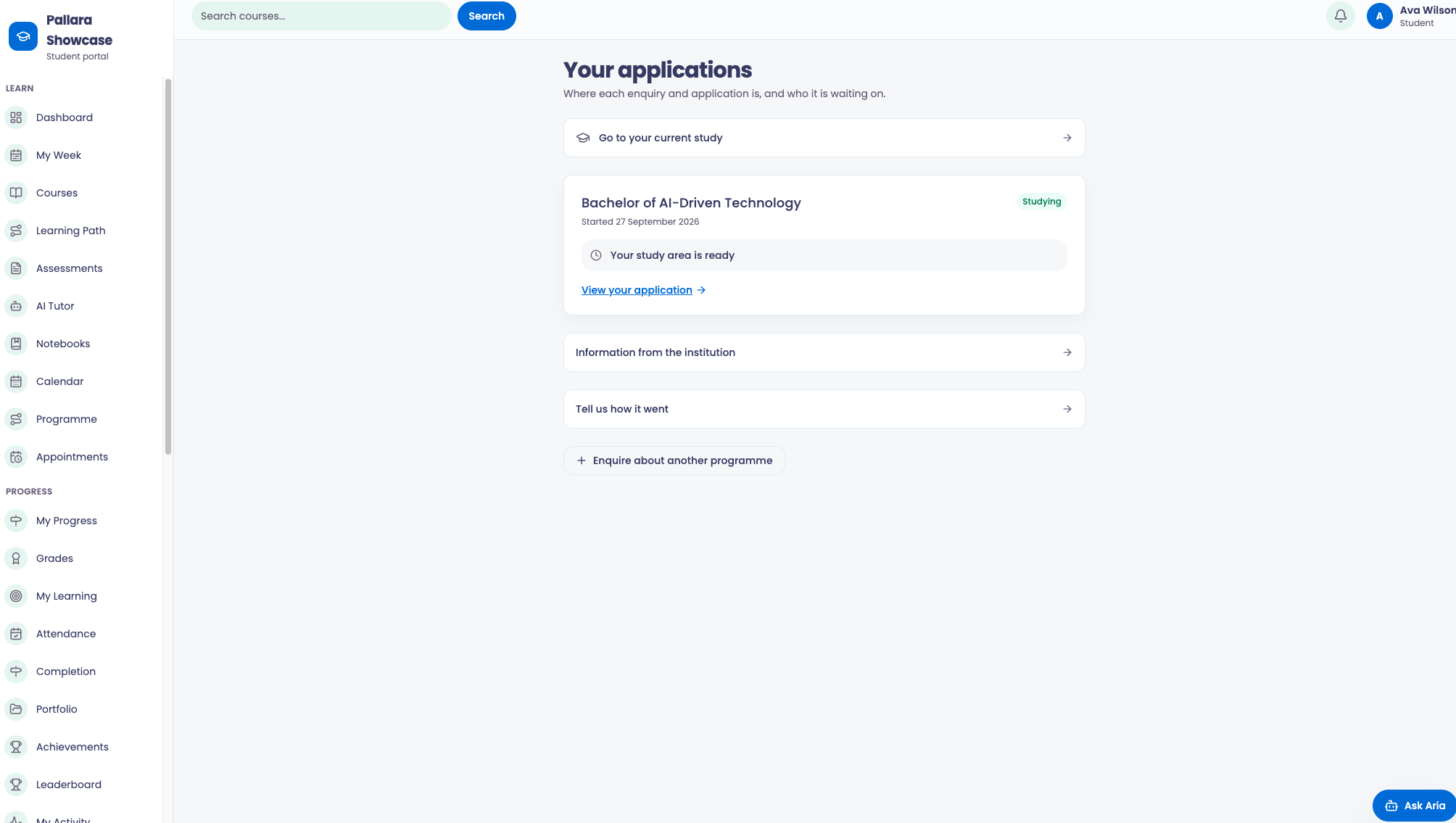
- Each enquiry and application appears as a card showing its stage — Enquiry, Application, Offer, Offer accepted or Studying — and your next step. The card also says who the step is waiting on: Waiting on you or Waiting on admissions.
- When admissions opens an application for you, select Start your application or Continue your application.
Complete the form and add documents
- Answer the questions the form asks. Your answers save as you go; the page shows All changes saved when they are stored.
- Under Documents, the Still needed list shows what admissions has asked for. Select Upload document for each one. PDF, JPEG or PNG files up to 10 MB each are accepted.
- Select Submit application. The status changes to say admissions is reviewing it.
NoteIf an education agent entered answers for you, the form asks you to check each one and confirm they are true before you submit.
If admissions returns it for changes
Admissions can return an application for changes. The card shows Waiting on you, and the application opens with What to update: the reason admissions gave. Make the changes, replace any document marked Please upload a replacement, and submit again.
After you enrol
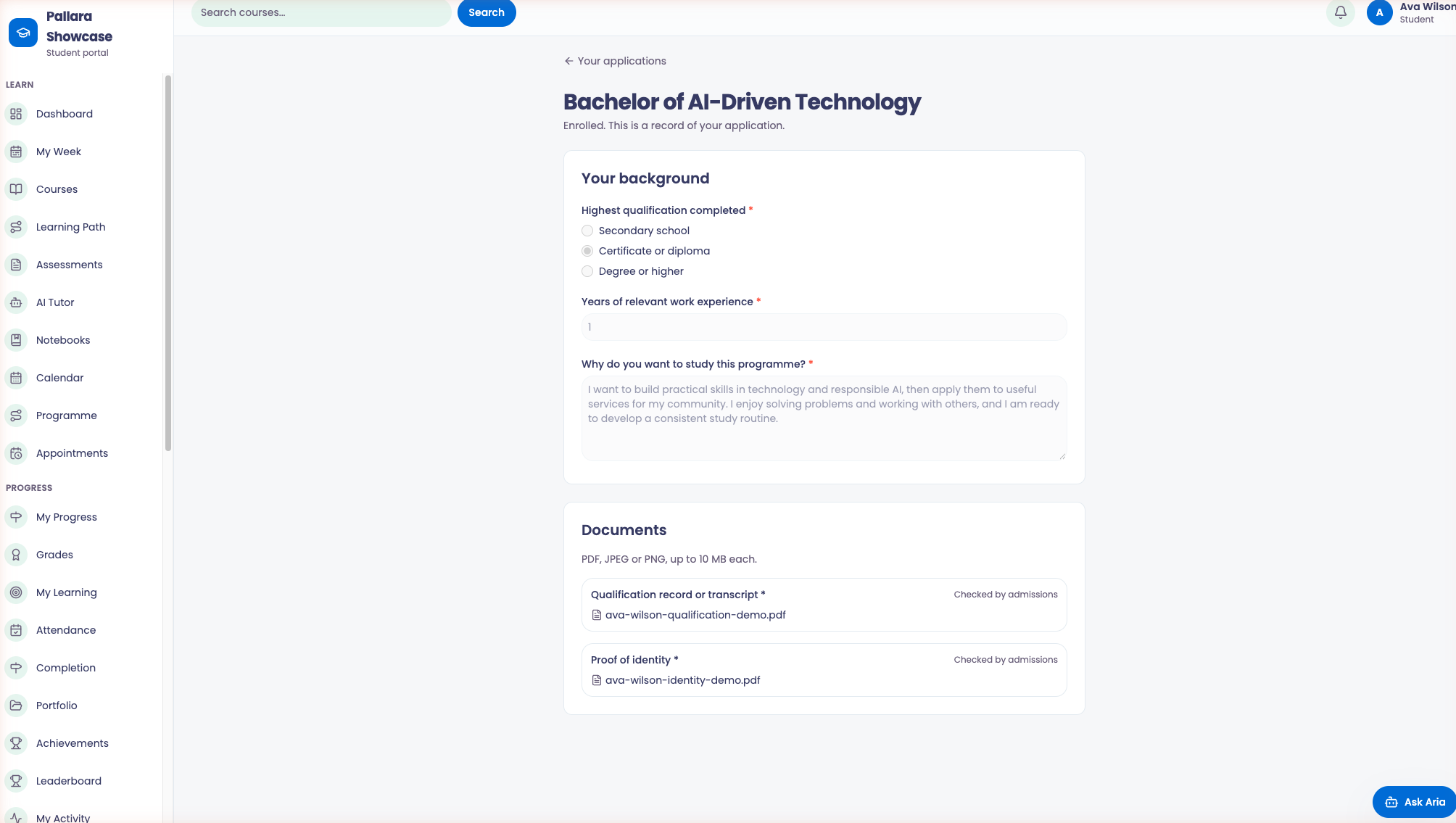
Your application stays under Applications once you are enrolled, as a record of what you submitted. Go to your current study takes you to your courses.
Was this guide helpful?