Wellbeing
The wellbeing surface that feeds the at-risk score.
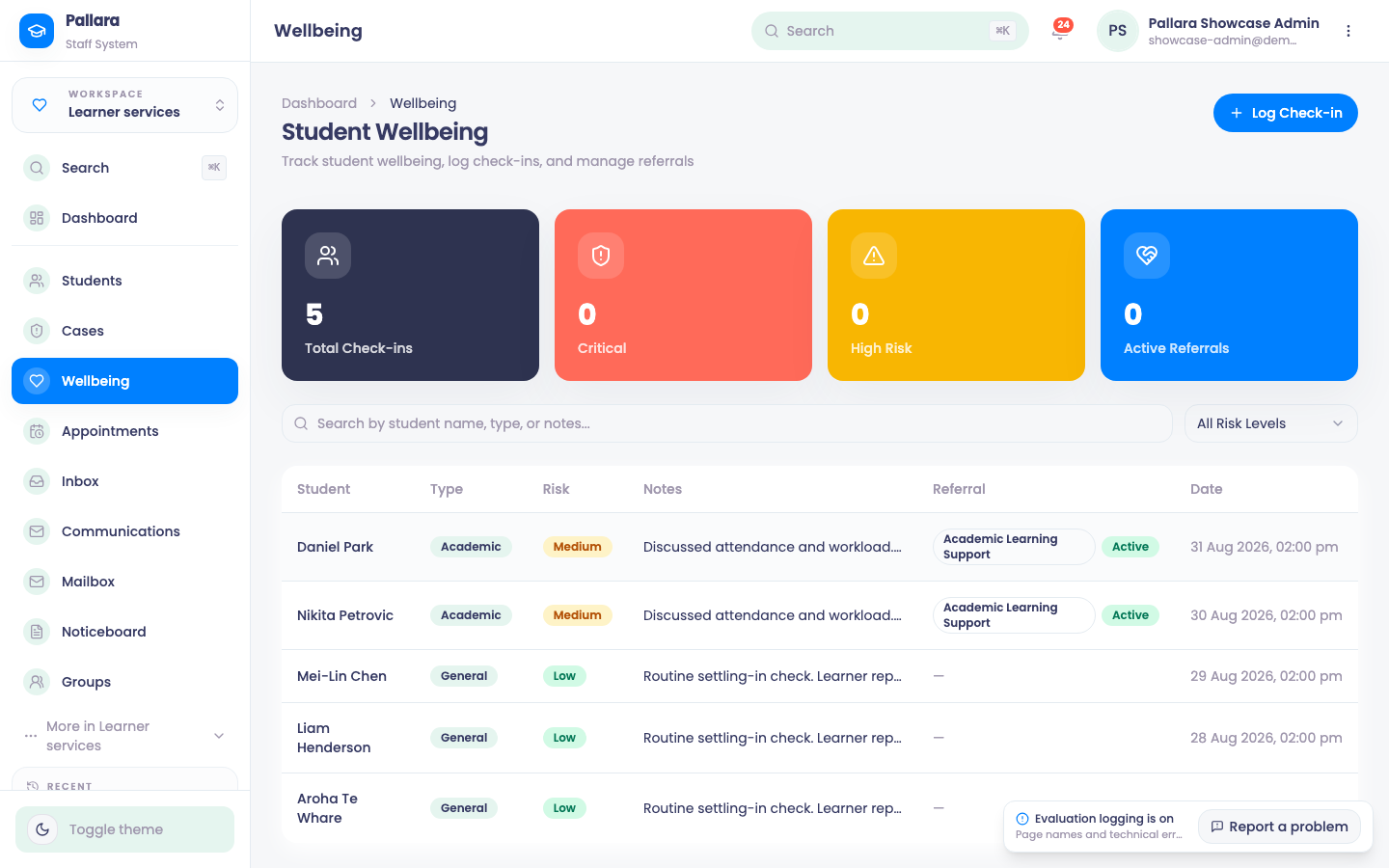
- Open Learner services → Wellbeing. The cards count check-ins, critical and high-risk learners and active referrals; filter by risk level.
- Select Log Check-in. Choose the learner and the type (general, academic, personal), set the risk level, write the note, and add a referral — academic learning support, counselling, a community service — where one was made.
- Learners also complete a short wellbeing check-in from their own dashboard; those are seen only by the learner support team and appear here.
Wellbeing is one of the four factors in the at-risk score — see Recompute and act on at-risk learners — and a concern raised here becomes an ordinary pastoral case.
Was this guide helpful?