Two-way SMS and WhatsApp
Conversations by text, per provider, through your own Twilio account.
- An administrator enters the provider's Twilio Account SID, auth token, sender or WhatsApp number and sandbox join code under Administration → Integrations → Twilio, then selects Test. A working account reports Connected — account verified.
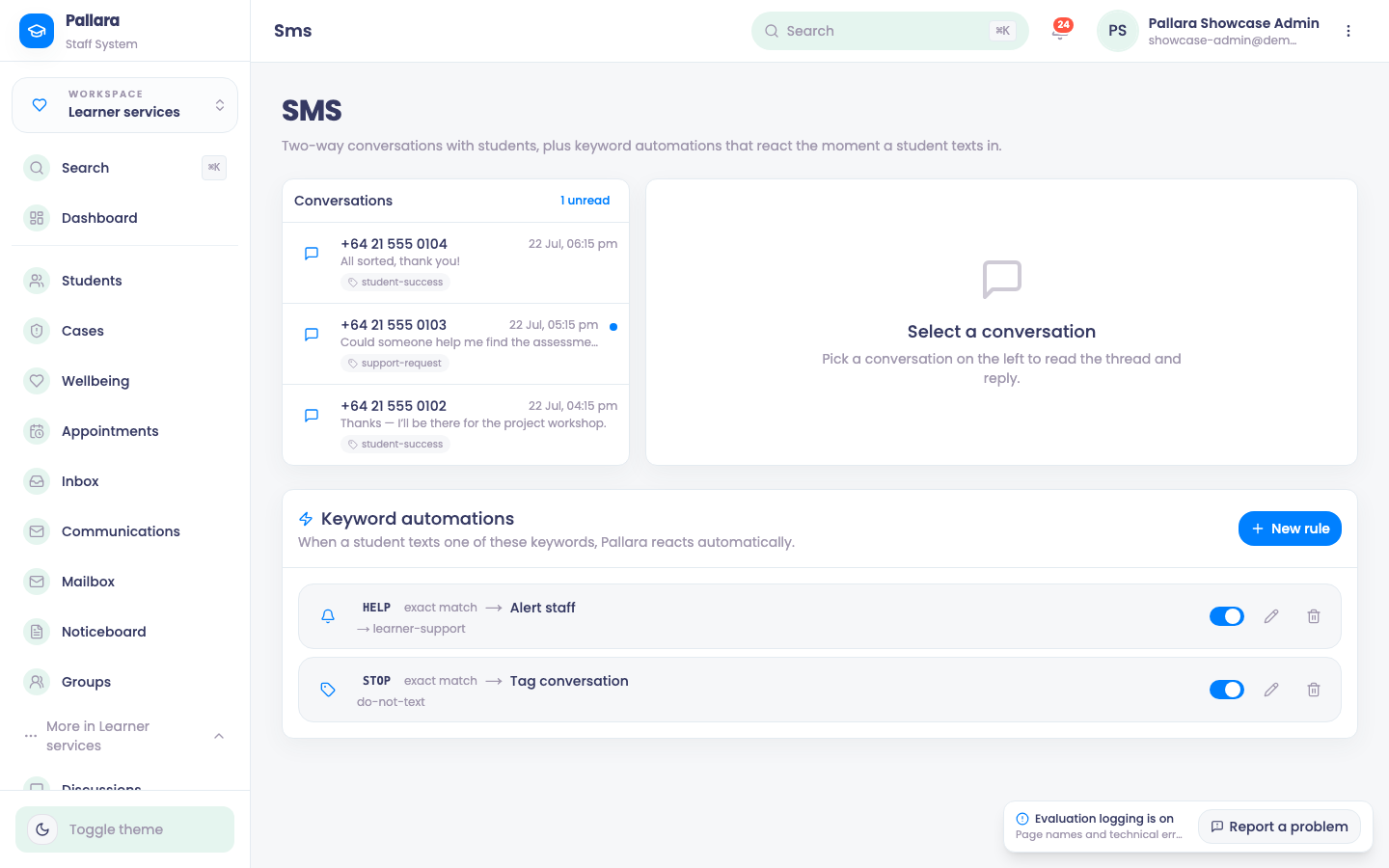
- Open Learner services → More → Two-way SMS. Conversations lists every number that has texted in, with the unread count; pick one to read the thread and reply. Inbound messages also land on the learner's communications timeline.
- Under Keyword automations, add a rule with New rule: when a learner texts a keyword —
HELP,STOP— Pallara reacts the moment it arrives, alerting a staff group or tagging the conversation. - Every send — delivered, failed, and the provider's reason — is kept in the communication audit log.
NoteA Twilio trial account can receive messages and deliver Twilio-originated tests, but refuses free-form sends (error 21654, ContentSid required). Production messaging needs an approved sender or content path on a full account.
Was this guide helpful?