The provider mailbox: replies that find their record
Every email Pallara sends carries its own reply address, so a learner's reply attaches itself to the right record. What cannot be placed waits for a person.
How a reply finds its record
Diagram: How a reply finds its record. Steps:
- Pallara sends email with inbound+<token> reply address
- Learner presses Reply
- Postmark posts it to Pallara
- Token present?
- Attached to the learner's timeline
- In-Reply-To matches a Message-ID we issued?
- Needs attention — a person chooses Attach to
Connections:
- Pallara sends email with inbound+<token> reply address → Learner presses Reply
- Learner presses Reply → Postmark posts it to Pallara
- Postmark posts it to Pallara → Token present?
- Token present? → Attached to the learner's timeline (yes)
- Token present? → In-Reply-To matches a Message-ID we issued? (no)
- In-Reply-To matches a Message-ID we issued? → Attached to the learner's timeline (yes)
- In-Reply-To matches a Message-ID we issued? → Needs attention — a person chooses Attach to (no)
How a reply finds its record
- When you send an email from Communications or from a learner's record, it goes out with a reply address of the form
inbound+<token>@<your inbound domain>and a Message-ID Pallara controls. - The learner presses Reply. Their mail provider sends it to that tokened address.
- Postmark posts it to Pallara, which reads the token, finds the record and writes the reply onto the learner's communications timeline. Nobody does anything.
- If the token is missing — some corporate gateways strip a plus-address, and people reply to forwarded copies — Pallara falls back to the In-Reply-To header naming the Message-ID it issued.
Pallara will not guess from the sender's address alone. Two people share a mailbox far more often than anyone expects, and attaching a partner's or a parent's email to a learner's record is precisely the mistake this design refuses to make. Anything it cannot prove is left for a person.
Using the Mailbox
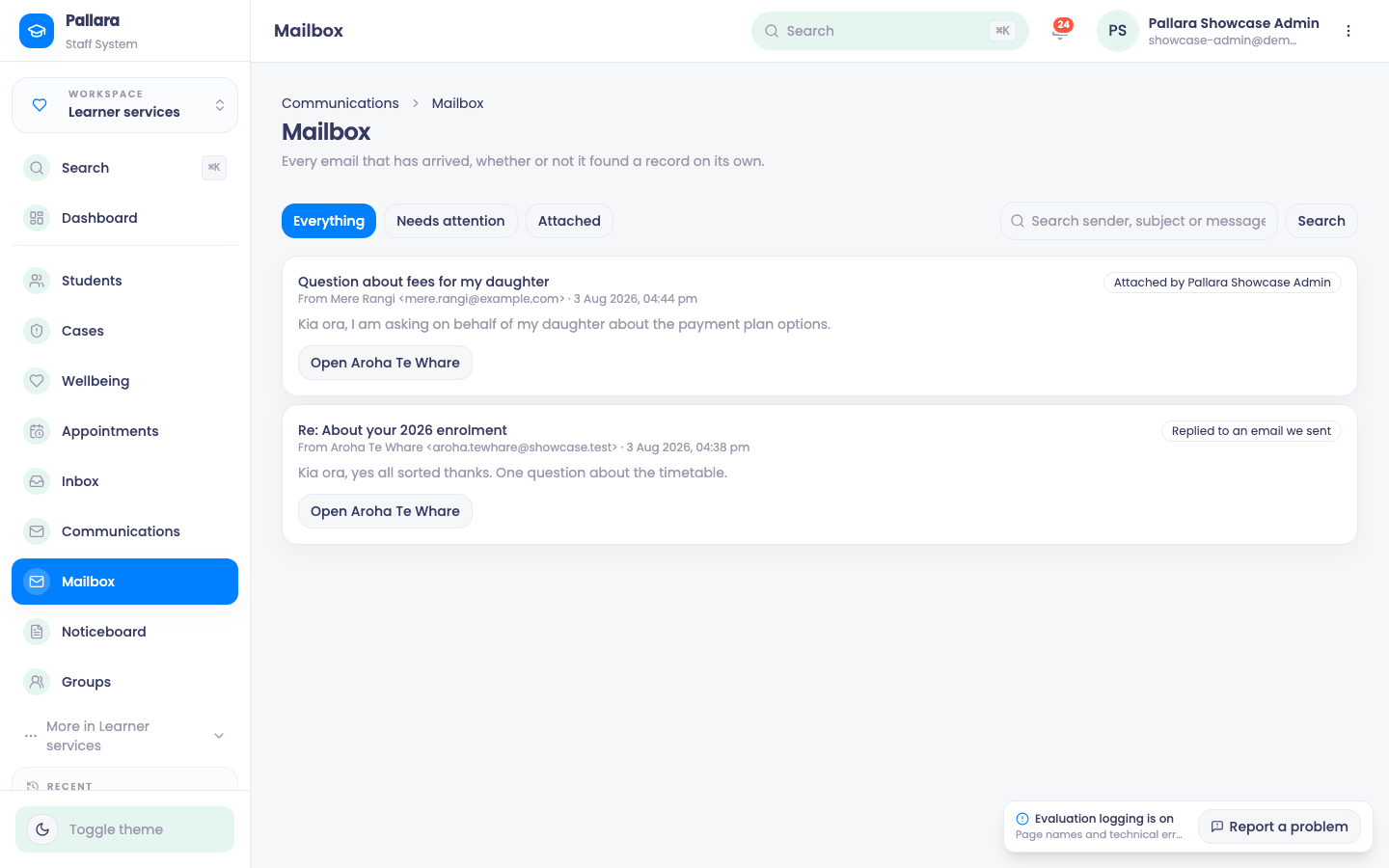
- Open Learner services → Mailbox. You need the
mailboxpermission — manager and administrator have it; facilitator and viewer cannot reach the page or its API. - Three filters: Everything, Needs attention (nothing has claimed it) and Attached.
- The search box searches sender, subject and body together.
- On an attached message, Open <learner> goes to their record.
- On an unattached message, choose a learner from Attach to. The attach is written to the activity log with your name, and the message appears on that learner's communications timeline.
Nothing is ever discarded. Every inbound message is stored — matched, unmatched, spam-scored, addressed to nobody in particular. A reply that could not be attached is exactly the one somebody goes looking for later.
What an administrator configures
| Setting | What it is |
|---|---|
| Inbound domain | The domain replies arrive on; its MX records point at Postmark. Falls back to the sending domain. |
| Inbound local part | The part before the +. Defaults to inbound. |
| Inbound secret | A shared secret. The webhook refuses every request until it is set — an unconfigured integration must not be an open door into any provider's mailbox. |
In Postmark, the inbound stream's webhook points at https://<your staff host>/api/webhooks/postmark/inbound with that secret.