Send email, SMS and WhatsApp to learners
Pick recipients precisely, send, and read the actual result rather than trusting the button.
Flow
A send, honestly reported
Diagram: A send, honestly reported. Steps:
- Choose recipients
- Compose (template optional)
- Send Now
- Provider outcome per recipient
- Sent / Failed counts + audit log
Connections:
- Choose recipients → Compose (template optional)
- Compose (template optional) → Send Now
- Send Now → Provider outcome per recipient
- Provider outcome per recipient → Sent / Failed counts + audit log
Staff actionPallara does this
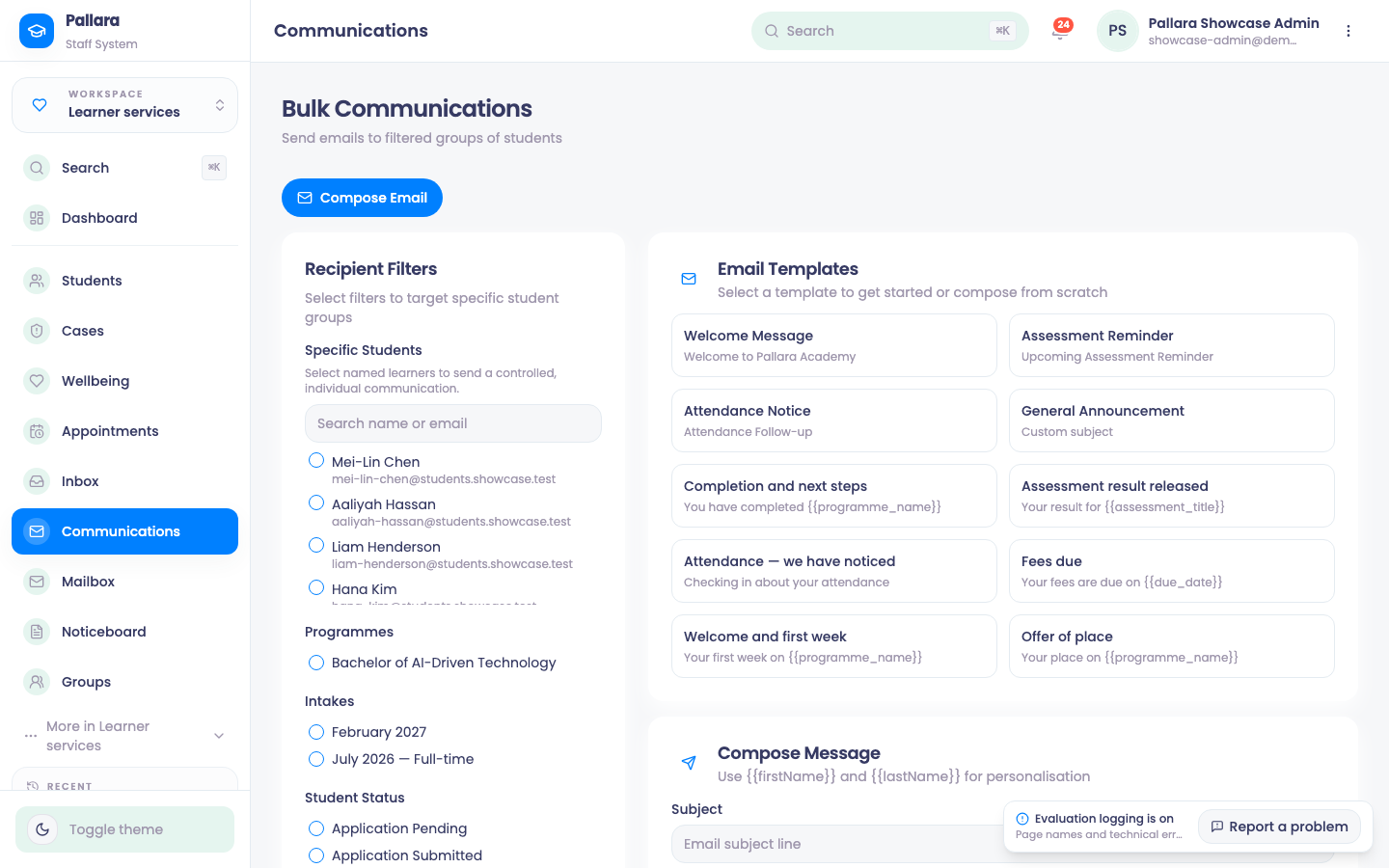
- Open Learner services → Communications.
- Choose the recipients. Specific Students picks named learners; the programme, intake and status filters pick cohorts. Combine them only when you want the intersection.
- Choose the channel, enter a subject (email) and the message. Insert a saved template if you have one.
- Select Send Now. Read the resulting Recipients, Sent and Failed counts — a click is not delivery.
- If the provider rejects every recipient you will see Send failed and Email delivery failed for every selected recipient. Each outcome is kept in the communication audit log.
NoteEmail goes out through Postmark with a reply address that routes the learner's answer back to their record. SMS and WhatsApp go through the Twilio account configured for your provider under Administration → Integrations.
Was this guide helpful?