Record attendance
Mark a register, mark everyone present, and understand the one attendance rate Pallara uses everywhere.
Flow
Where a register comes from, and what the rate means
Diagram: Where a register comes from, and what the rate means. Steps:
- Timetable session
- One session per NZ calendar day
- Register: Present / Late / Absent / Excused
- Rate = (present + late) ÷ (present + late + absent)
- Dashboard tile
- Learner record + International page
- At-risk score
- Attendance Compliance report
Connections:
- Timetable session → One session per NZ calendar day
- One session per NZ calendar day → Register: Present / Late / Absent / Excused
- Register: Present / Late / Absent / Excused → Rate = (present + late) ÷ (present + late + absent)
- Rate = (present + late) ÷ (present + late + absent) → Dashboard tile
- Rate = (present + late) ÷ (present + late + absent) → Learner record + International page
- Rate = (present + late) ÷ (present + late + absent) → At-risk score
- Rate = (present + late) ÷ (present + late + absent) → Attendance Compliance report
Pallara does thisStaff actionDocument / file
Excused counts in neither side of the division. No countable mark means no rate.
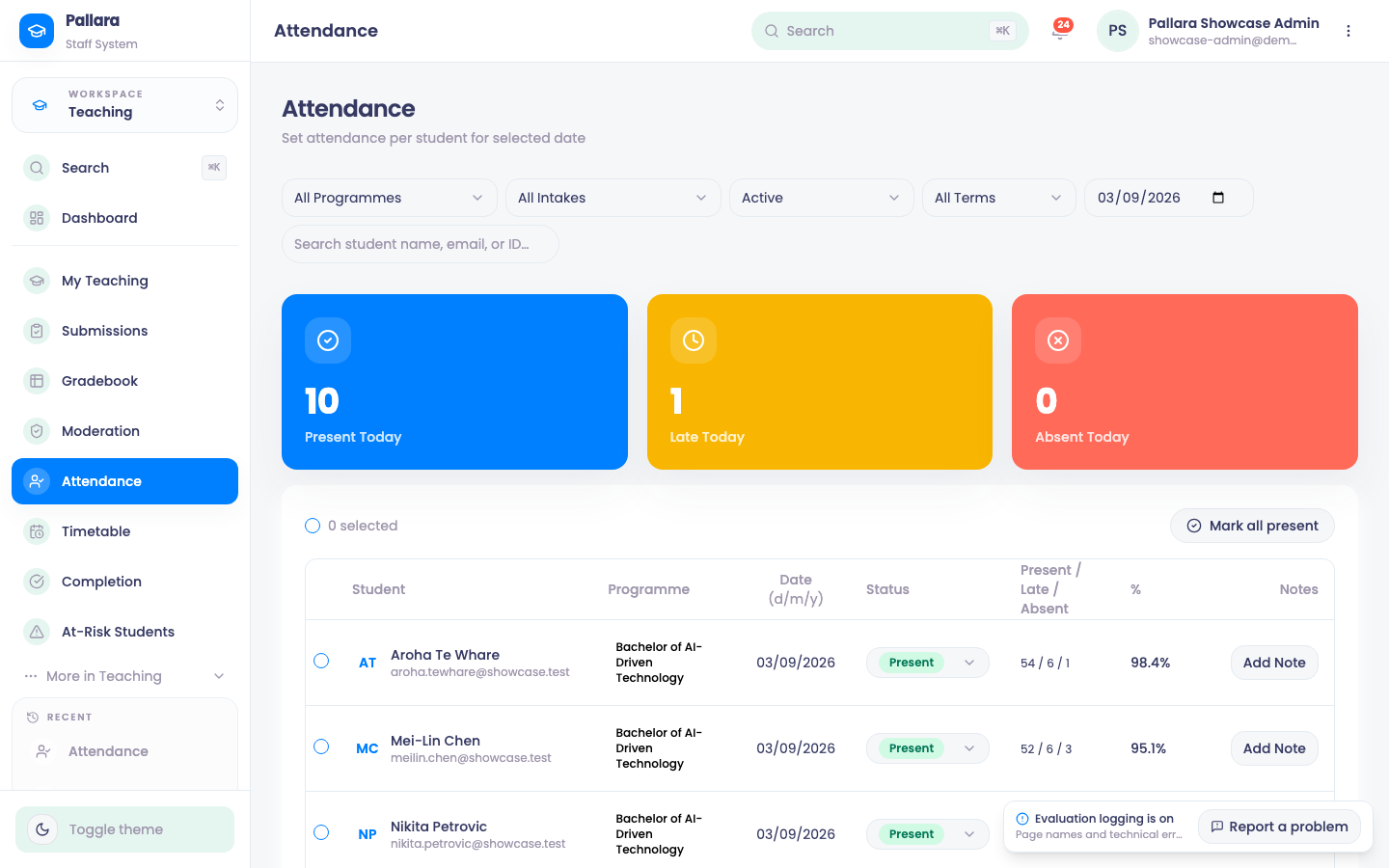
- Open Teaching → Attendance and set the register date.
- Find the learner (search if needed), open their status menu and choose Present, Late, Absent or Excused. Add a note where one is useful — a transport disruption, a medical certificate.
- Expect Attendance marked as Present (or the status you chose). The date's cards update.
- To mark everyone in the current filtered list, set the date and filters first, then select Mark all present. It applies to the whole filtered list, not just the visible page.
- Reload the register once. The statuses and the cards must still agree.
The attendance rate
Pallara has one definition of attendance rate and uses it on the dashboard, the learner record, the International page, the compliance report and the at-risk score: present + late, over present + late + absent. Excused sessions count in neither. A learner with no countable mark has no rate — not 100%.
NoteSessions are generated from the timetable for each New Zealand calendar day. Marking a roll finds that day's session rather than creating a second one beside it, so a register can never be double-counted.
Was this guide helpful?