Timetable and calendar
The intake-first operational timetable next to the events calendar.
Timetable is the operational schedule: recurring classes for an intake, with facilitator and room views of the same schedule. Calendar is the events calendar — key dates across programmes, assessments and staff, payment reminders, appointments. Attendance registers are generated from the timetable, one per New Zealand calendar day.
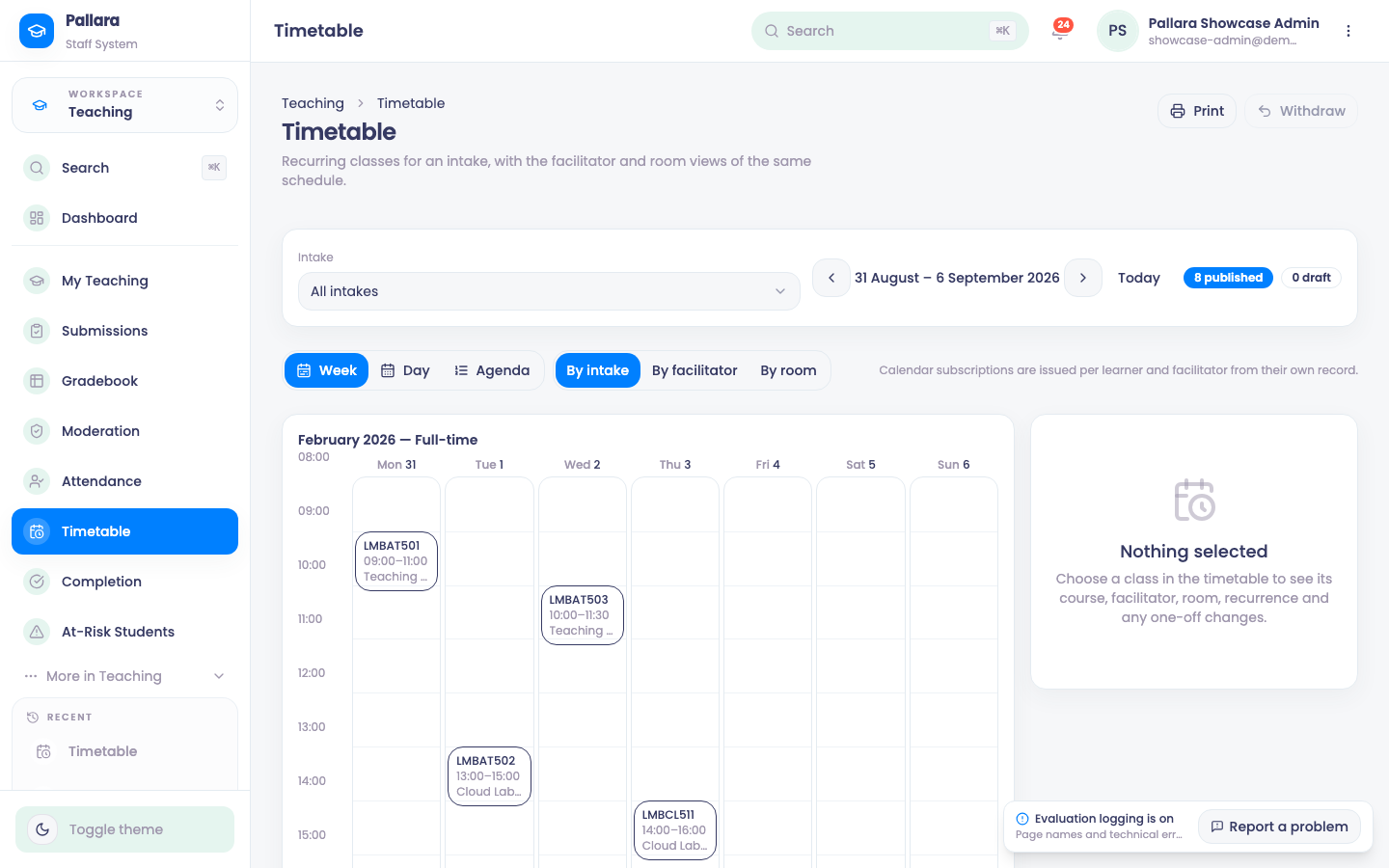
- Open Teaching → Timetable. Choose the intake (or All intakes) and the week; Today jumps back. Switch between Week, Day and Agenda, and between By intake, By facilitator and By room. The header counts published and draft sessions.
- Print produces a printable week. Withdraw takes a published session back to draft.
- Calendar subscriptions (iCal) are issued per learner and facilitator from their own record, so each person's calendar app shows their own classes.
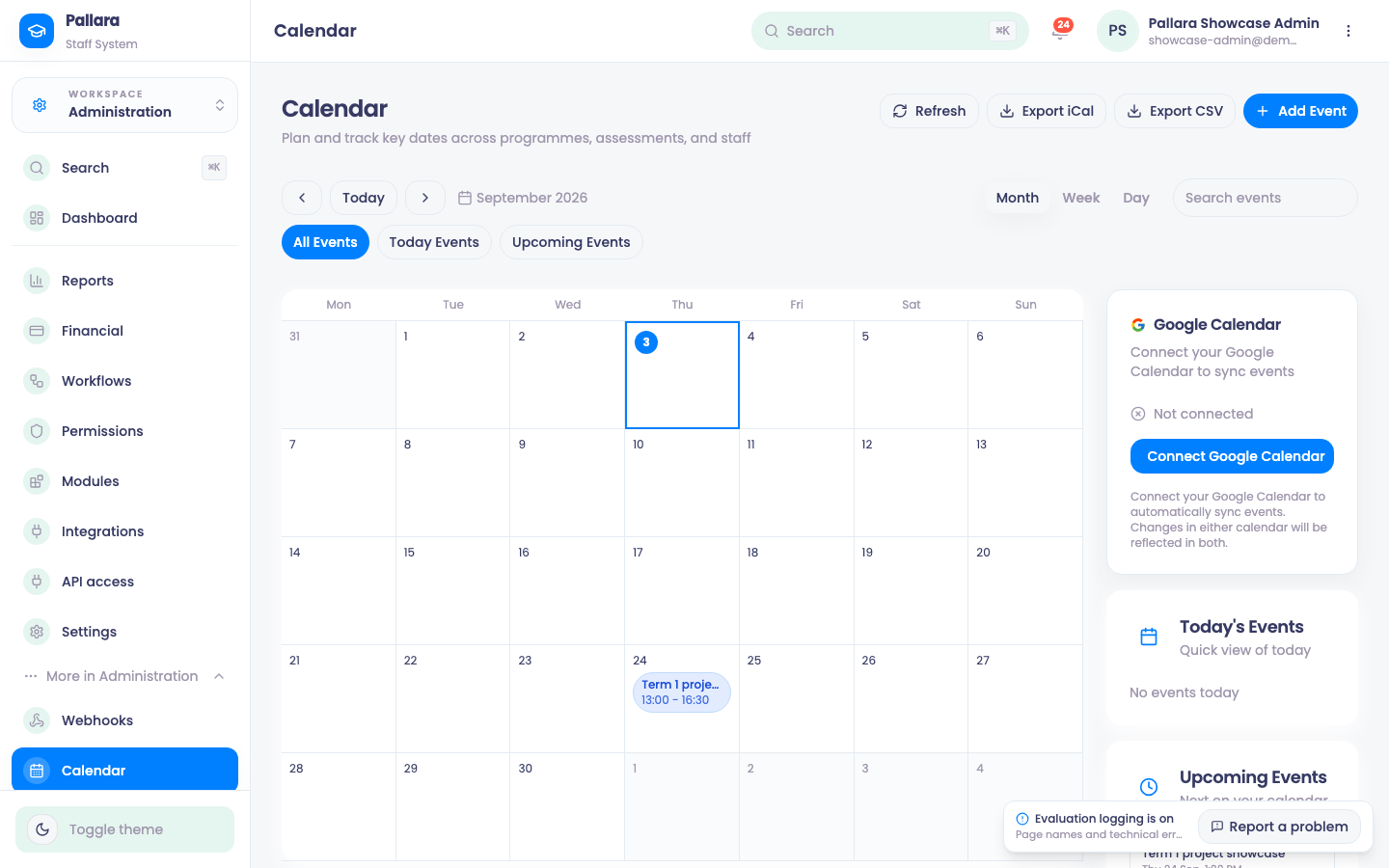
- Open Administration → More → Calendar. Add Event creates a provider event; select an existing event to edit it, and Delete in Edit Event removes it.
- Export iCal and Export CSV take the current view out. Connect your Google Calendar syncs events to a Google account when your provider allows it.
Was this guide helpful?