Work-based training: employers, the employer portal and learner registration
Create an employer, issue their portal link, and let them register learners with the checks that keep bad data out.
Flow
Employer to signed agreement
Diagram: Employer to signed agreement. Steps:
- New employer
- Issue portal link
- Employer registers learner (validated)
- Draft training agreement
- Employer signs
- Learner signs
- Provider signs
- Signed PDF
- ITR return (local CSV)
Connections:
- New employer → Issue portal link
- Issue portal link → Employer registers learner (validated)
- Employer registers learner (validated) → Draft training agreement
- Draft training agreement → Employer signs
- Draft training agreement → Learner signs
- Draft training agreement → Provider signs
- Provider signs → Signed PDF
- Draft training agreement → ITR return (local CSV)
Staff actionLearner actionPallara does thisDocument / file
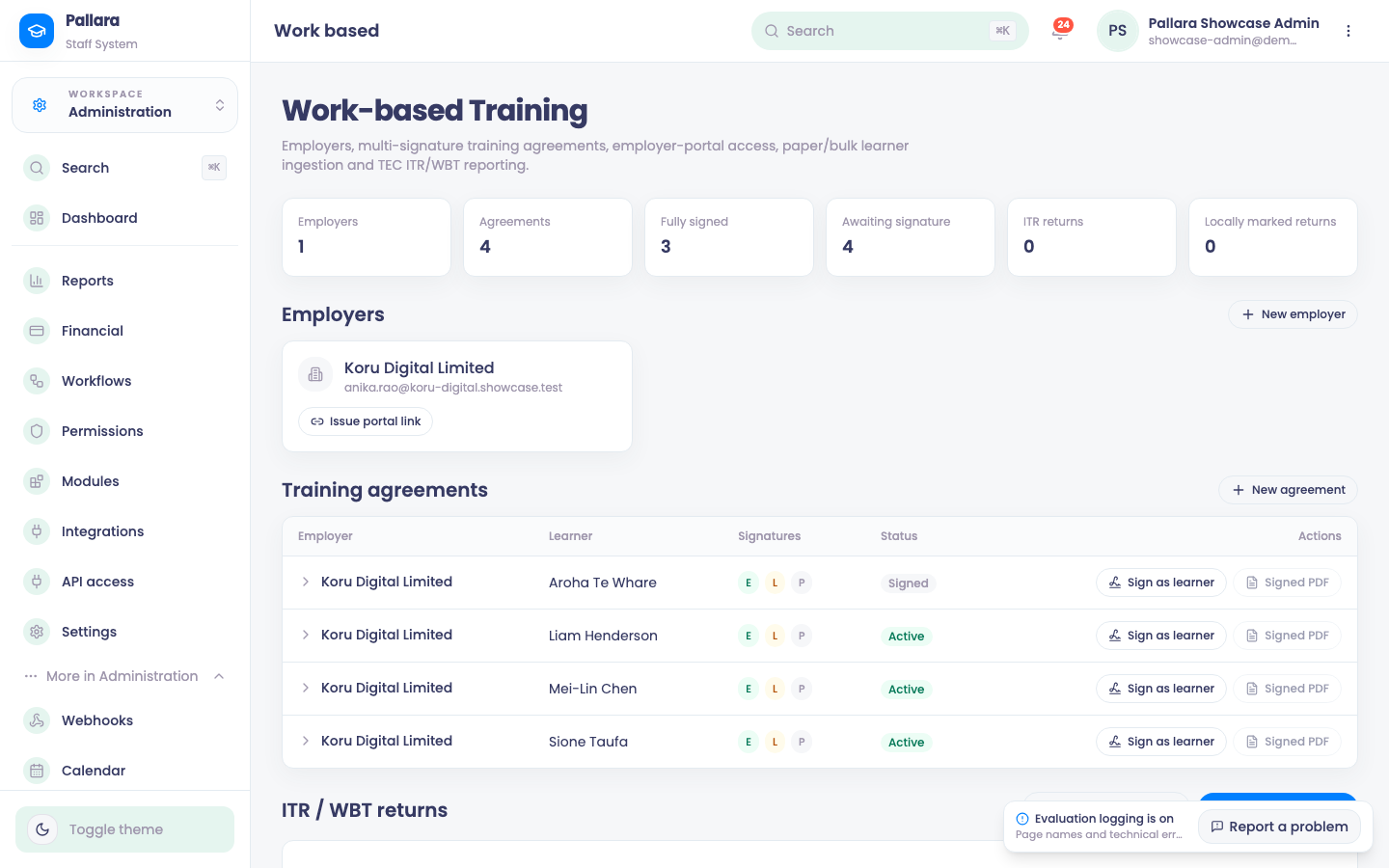
- Open Administration → More → Work-based Training and select New employer. Enter the organisation name, employer email and phone, then Add employer.
- On the employer card select Issue portal link, then Open employer portal (or copy the read-only URL). The URL is on your own staff host under
/employer/and carries a token. - In the employer portal, the employer completes Training start date (day, month, year), enters the learner's first name, last name, email and NSN, and selects Register learner. The learner card shows Started <date> or Awaiting setup.
- Back in Work-based Training, the learner appears under Training agreements as a Draft agreement for that employer.
What the portal rejects
- A missing first or last name: First and last name are required.
- An invalid email: the browser's own validation stops submission.
- Letters in the NSN: NSN must contain digits only. A numeric NSN must be exactly nine digits.
- A duplicate email or duplicate NSN: a clear message that no learner was registered; the original remains the only learner with that value.
- A tampered link: This link isn't valid. Please check it or ask your training provider for a new one. — with no data written and no staff sign-in redirect.
Bulk or paper import
- In Bulk / paper learner import, select the employer and paste a CSV of first name, last name, email and NSN. A header row is recognised.
- Select Preview, check each
readyrow and untick anyone who should not proceed, then Import n learner(s). Each becomes a draft student with a training agreement. - Sign the agreement with the named Sign as employer, learner and provider actions, recording each signatory's name. Signed PDF is enabled once all three have signed.
Was this guide helpful?