Read the financial overview
Revenue, outstanding balances, paid records and the analytics behind them — and why an invoice-only learner can owe money without a ledger record.
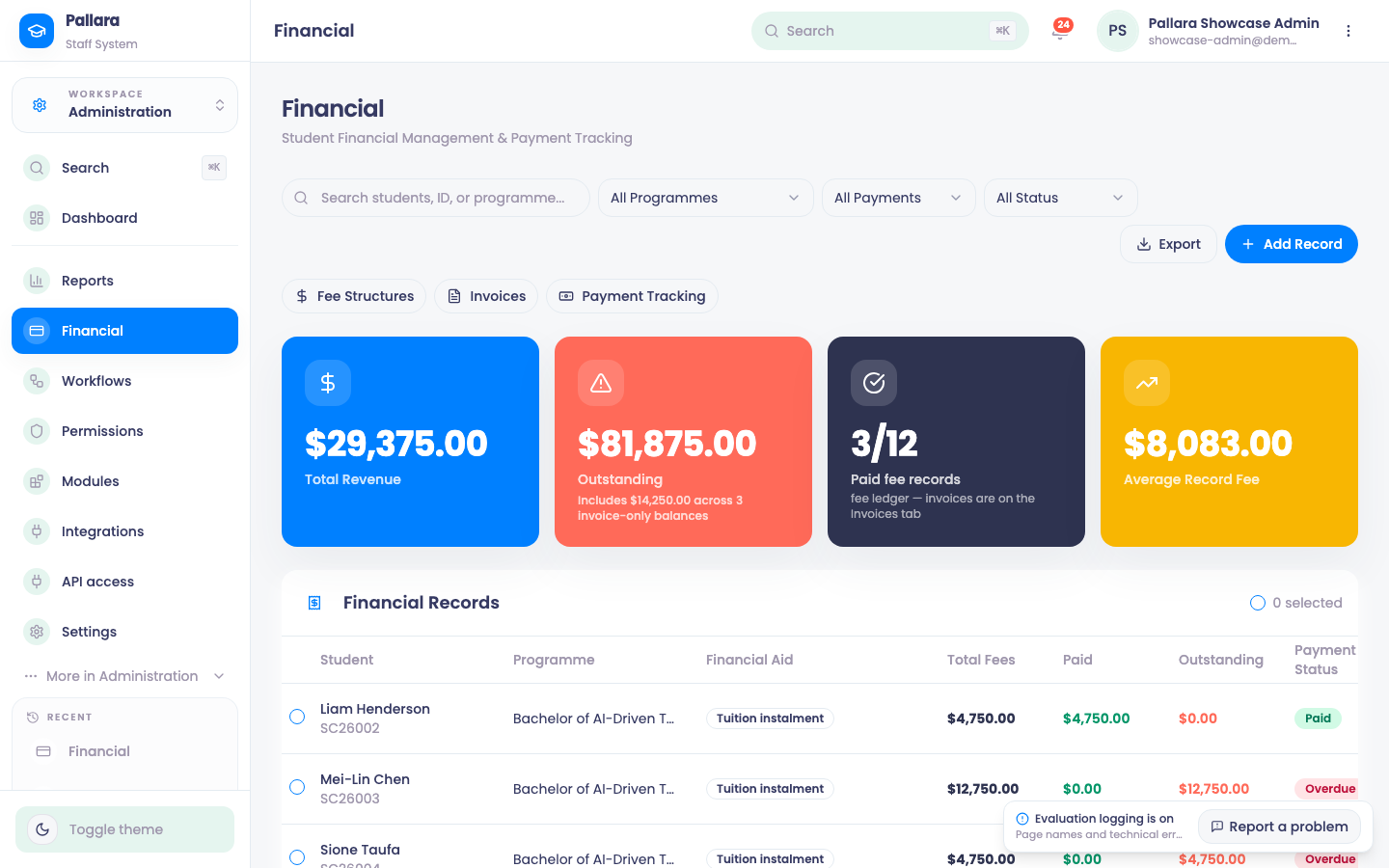
- Open Administration → Financial. Read Total Revenue, Outstanding, Paid Records and Average Record Fee. Outstanding includes collectable invoice balances even for learners with no editable financial record; the caption states the separate invoice-only amount and count. Paid and cancelled invoices do not contribute.
- Search by learner name, ID or programme. The cards, the Financial Records table, Recent Payments and Financial Analytics all follow the same search.
- Combine All Programmes, All Payments and All Status. The Status filter applies to financial records only, because invoices do not have a financial-lifecycle status.
- Select Financial Analytics for Revenue Over Time, Payment Status Distribution, Outstanding by Programme and Financial Status Breakdown.
NoteRow actions apply to financial records only. An invoice-only balance is read-only here and is managed from Invoices.
Was this guide helpful?