Manage agent commission
Agreements per agent, recalculation across referrals, and approving and paying what is owed.
Flow
Commission from referral to paid
Diagram: Commission from referral to paid. Steps:
- Agent agreement (rate)
- Enrolment introduced by the agent
- Commission auto-calculates as fees are added
- Recalculate all
- Approve
- Mark paid
Connections:
- Agent agreement (rate) → Enrolment introduced by the agent
- Enrolment introduced by the agent → Commission auto-calculates as fees are added
- Commission auto-calculates as fees are added → Recalculate all
- Recalculate all → Approve
- Approve → Mark paid
Staff actionPallara does this
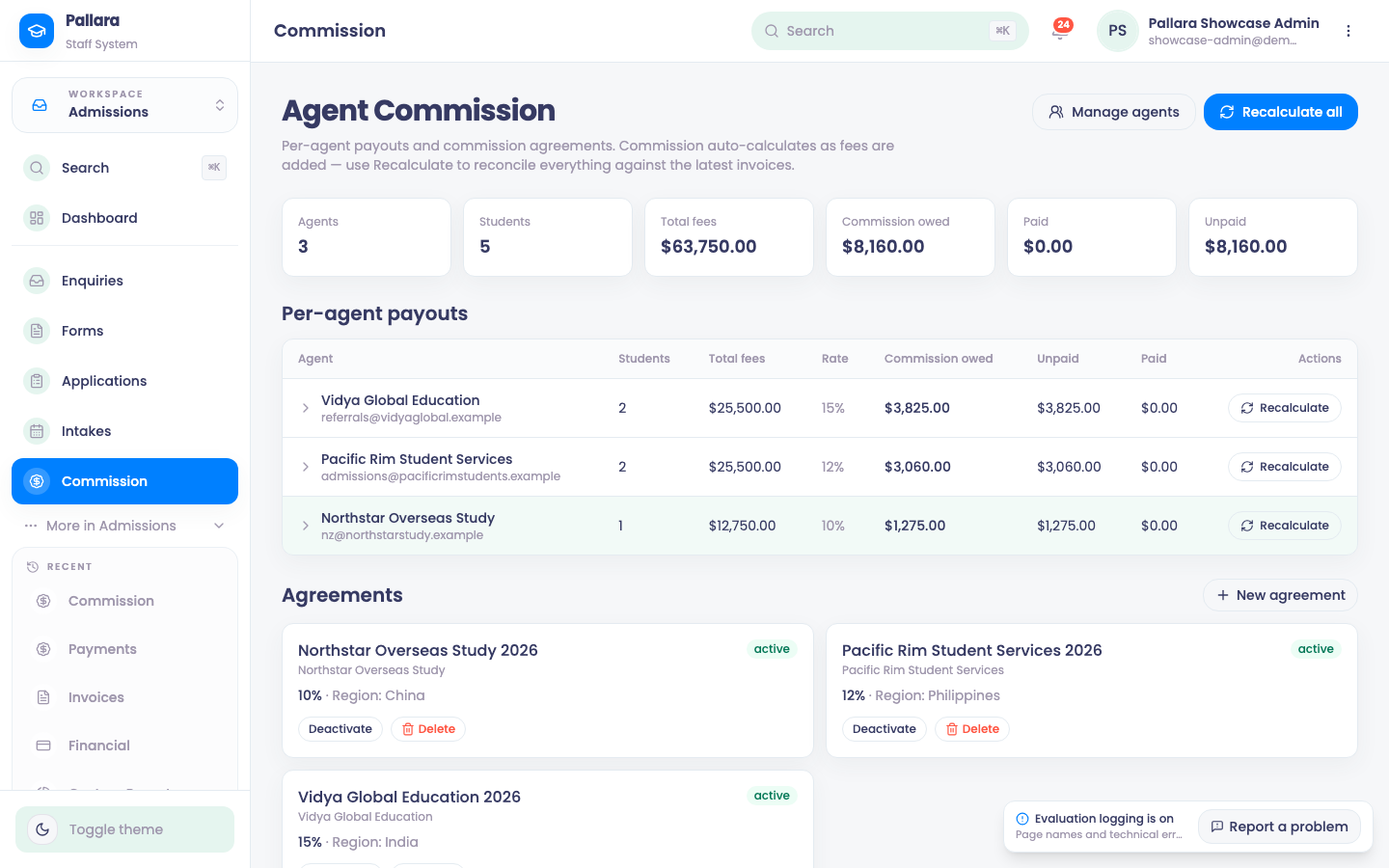
- Open Admissions → Commission. The cards show agents, learners introduced, total fees, commission owed, paid and unpaid. Commission calculates itself as fees are added.
- Select New agreement. Select the agent, optionally a label and region, choose a percentage or flat rate, enter the rate and select Create agreement. Deactivate / Activate change its state; Delete removes an unused one.
- Select Recalculate all to reconcile everything against the latest invoices. The result states how many payouts were created, updated, unchanged and retained as paid.
- Expand an agent's row. For a calculated payment, select Approve, then Mark paid. The amount moves into the Paid total.
- Recalculating again leaves paid records unchanged.
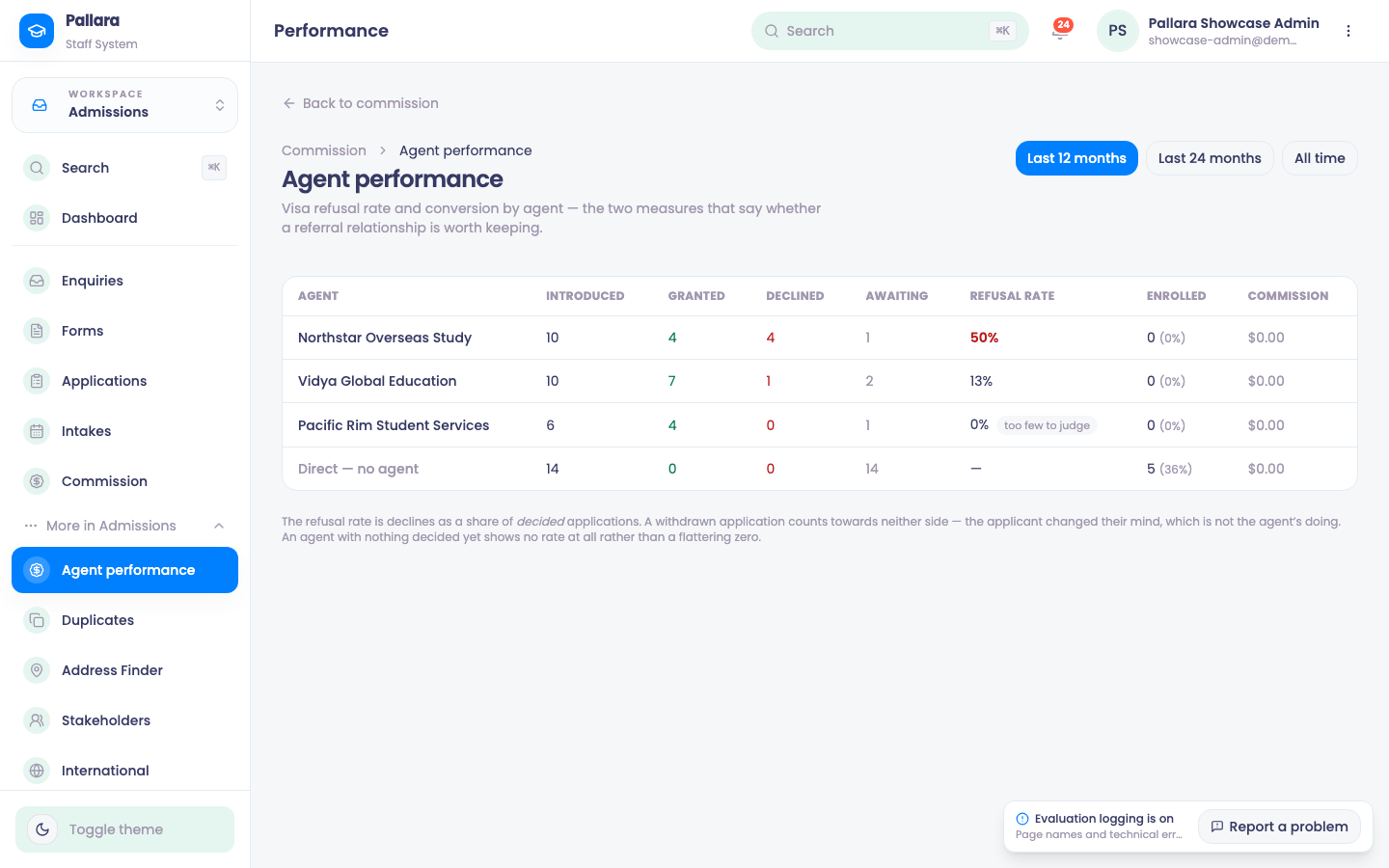
Agent performance (Admissions → More → Agent performance) shows the two measures that say whether a referral relationship is worth keeping: visa refusal rate and conversion. For each agent, over the last 12 or 24 months or all time: learners introduced, visas granted, declined and awaiting, the refusal rate, how many enrolled, and the commission earned.
NoteTest learners are excluded from commission — a referral for a learner who is not a real person never earns anything.
Was this guide helpful?