Use the staff AI Assistant
Ask operational questions about your own provider, keep the conversations, and cancel anything you no longer need.
What it can answer
- Questions about your own data — counts, balances, who has not submitted — via a read-only query scoped to your provider.
- How the platform works — where a page is, what a control does.
- Anything in a saved conversation, found through History.
What it will not do silently
- Send, write or change anything without going through Approvals when a policy gates it.
- Read another provider's data — the scope is not a parameter.
- Keep a partial answer after you Cancel.
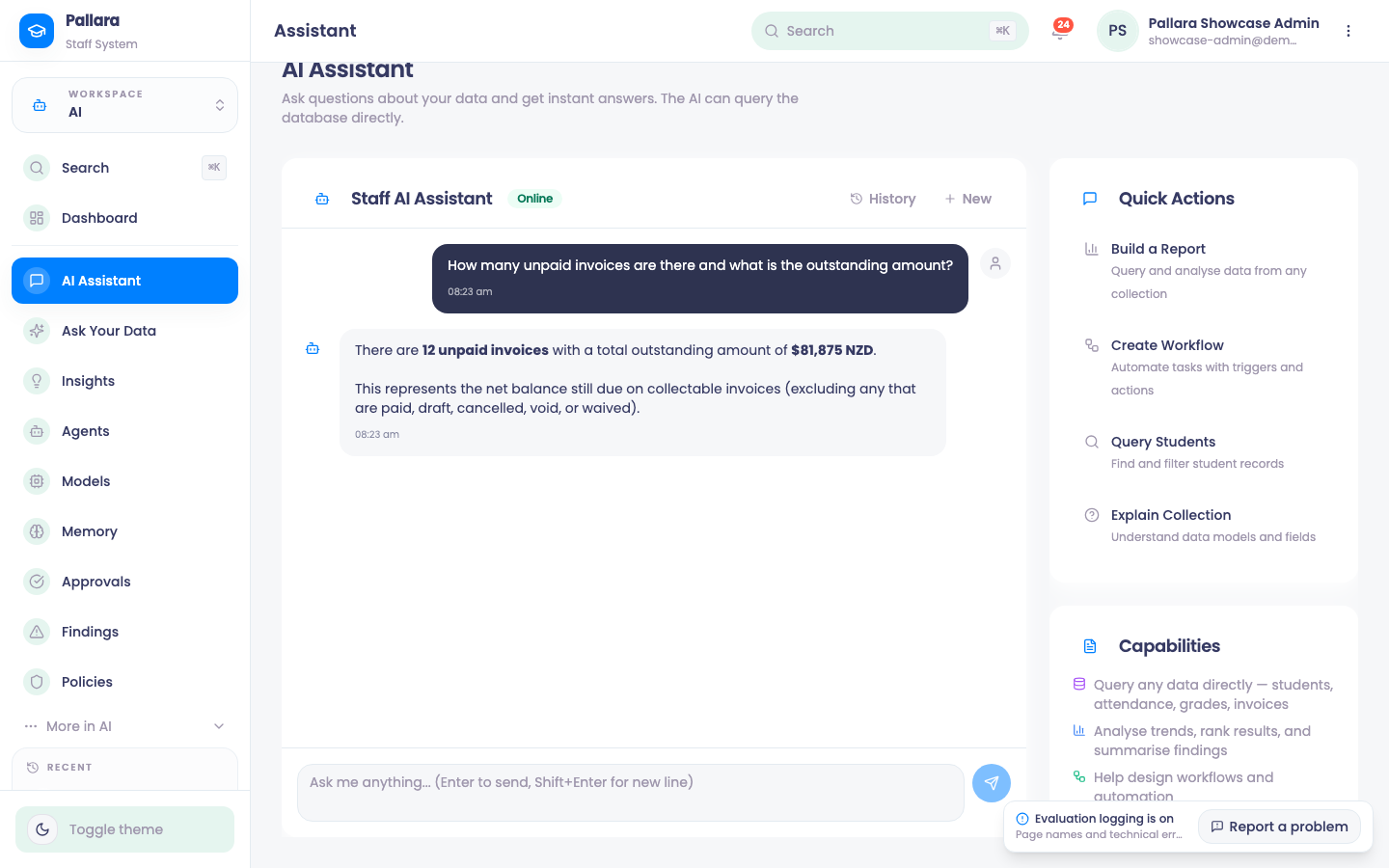
- Open AI → AI Assistant. Type in Ask me anything… and select Send message (Enter sends; Shift+Enter is a new line).
- Ask about your own data — *how many unpaid invoices are there and what is the outstanding amount?* — or about the platform — *how do I release a grade?*. The assistant can query your provider's database directly, read-only and scoped to your provider.
- Select New for a clean conversation. History lists saved conversations; search by words from the title or the question.
- While a response shows Thinking…, Cancel stops it. A cancelled request keeps your question and no partial answer.
NoteThe assistant answers and drafts; it does not act on your behalf. Where an AI action does change something shared, it goes through Approvals — see that guide for exactly which actions those are today. Recorded AI activity can be reviewed in the AI audit trail.
Was this guide helpful?