Track international learners
Visa, insurance, attendance and expiry in one place, with the onboarding course an international learner gets on arrival.
An international learner's first week
Diagram: An international learner's first week. Steps:
- Enrolment type: international
- INTL101 assigned and unlocked
- Appears on the International dashboard
- Learner works through onboarding
- Visa, insurance, attendance watched
Connections:
- Enrolment type: international → INTL101 assigned and unlocked
- Enrolment type: international → Appears on the International dashboard
- INTL101 assigned and unlocked → Learner works through onboarding
- Appears on the International dashboard → Visa, insurance, attendance watched
International Students is the immigration dashboard: every learner flagged as international, with the values that matter for their visa conditions — country, visa and its expiry, insurance and its expiry, attendance rate, and the agent who introduced them.
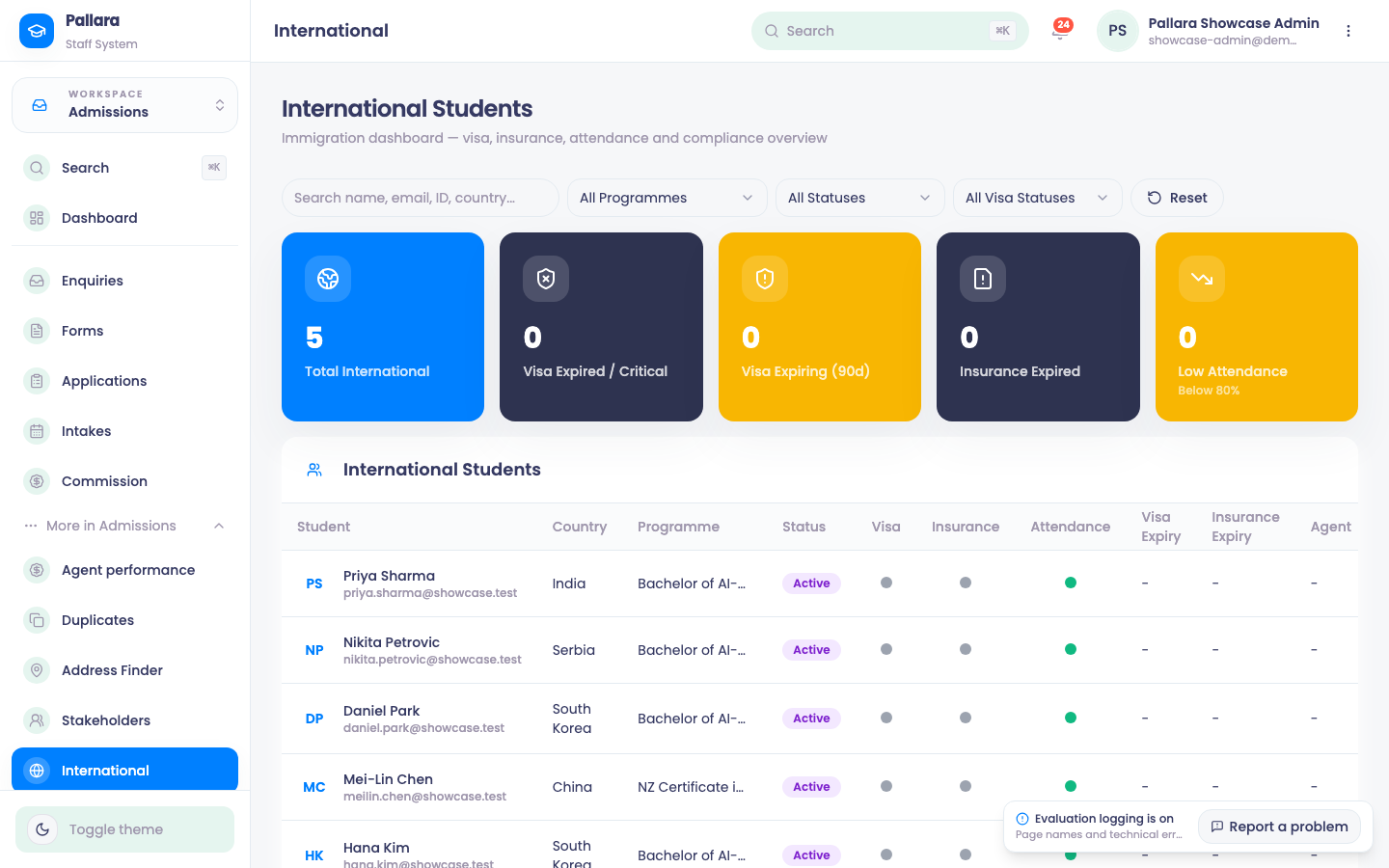
- Open Admissions → More → International. Read the five cards first: Total International, Visa Expired / Critical, Visa Expiring (90d), Insurance Expired and Low Attendance (below 80%).
- Filter with All Programmes, All Statuses and All Visa Statuses; Reset restores the whole list. Search by name or email to narrow to one learner.
- With more than 25 learners, use Next, Previous, the per-page control and Last below the table; the range label agrees with the rows shown.
- Select a row to open the learner's student profile.
Onboarding on arrival
When an enrolment of type international is created, the learner is automatically assigned the provider's published onboarding course — the course whose code is INTL101 — and it is unlocked immediately rather than waiting for a term start. It sits in their learner portal like any other course, with lessons and progress, so the provider has a record that the induction happened. If no published course carries that code, nothing is assigned and the enrolment is otherwise unaffected.
Agents
Enquiries that arrive through an education agent's portal are attributed to that agent and flow into the ordinary enquiry pipeline. Agents see privacy-banded progress on their referrals and never the learner's record. See Give an education agent a portal.