Convert an enquiry to an application
Move a prospective learner into the application pipeline without re-keying anything.
- Open the enquiry from Admissions → Enquiries with View.
- In the enquiry drawer, select Convert to application.
- Expect a success message and a redirect to Applications.
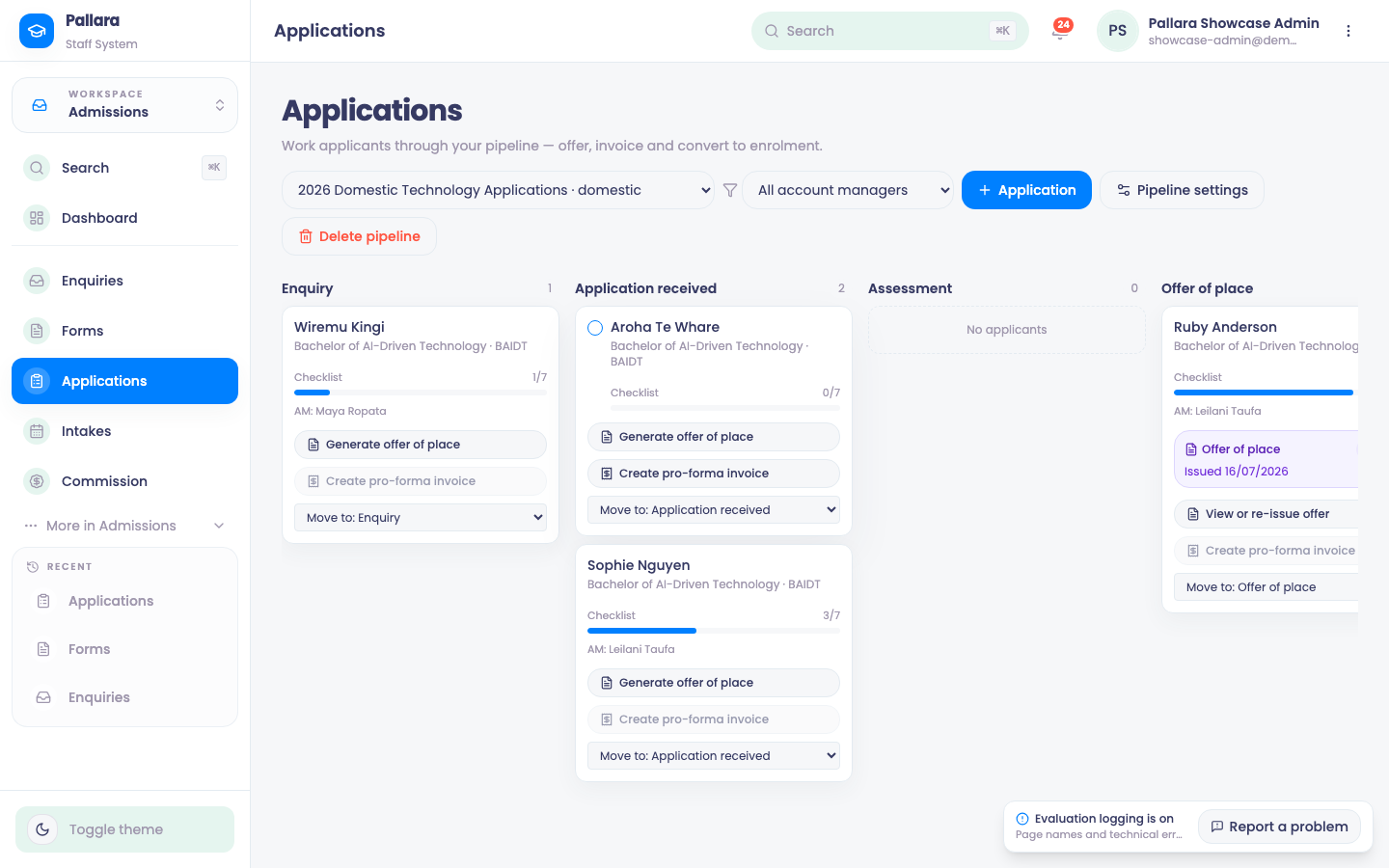
- Use the pipeline selector to choose the right pipeline — the domestic pipeline or the international one.
- In the Application received column, find the new applicant card. It already carries the person, the programme and any agent who introduced them.
- Back on the enquiry, the drawer now reads Converted to application — this enquiry is linked to an application pipeline card, with a View application link. Under the Completed tab the row reads Onboard.
NoteAn application can also be started directly on the Applications board for someone who never had an enquiry. The rest of the flow is the same.
Was this guide helpful?